 Google Drive guide
Can Guests Upload to Google Drive Without a Google Account?

Short answer: no. Google Drive only lets signed-in Google accounts add files to a folder, even when the folder is shared as "Anyone with the link" with Editor access. Guests without an account can look but cannot upload. To collect photos from everyone you need something that uploads on their behalf: a Dropbox file request, a form, or a QR upload tool like EventSnap that puts the files in your Drive without the guest ever signing in.
Quick answers
Do wedding guests need a Google account to upload to my Drive?
With a plain Drive link, yes. Every upload to a Drive folder is tied to a signed-in account. The guests most likely to be stopped by that screen are older relatives and iPhone users who never set up a Google account on their phone.
What is the easiest way around it?
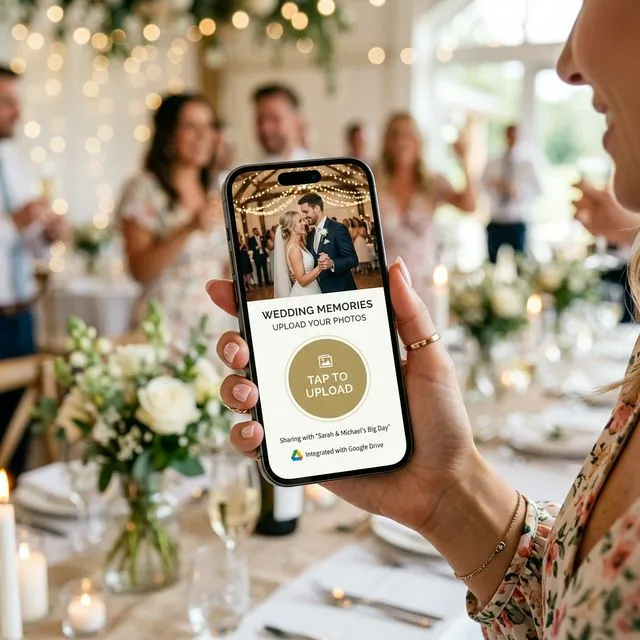
A QR code that opens an upload page in the guest's browser. The page sends the files to your Google Drive using a permission you granted once. Guests tap, pick photos, upload. No app, no account. That is what EventSnap does, and the Starter plan is free for up to 50 uploads.
Why Google Drive insists on a sign-in
Every file in Google Drive has an owner and an audit trail. When you share a folder as "Anyone with the link" and set the role to Editor, Google still needs to know who is doing the editing. Viewing can be anonymous; adding, renaming or deleting cannot. So the moment a guest taps "Upload" on your shared folder, Drive asks them to sign in.
This is different from Google Docs, where anonymous people with the link can type into a document. Folders never had that mode. It is also different from Dropbox, which has a dedicated "file request" feature built for exactly this situation.
For a team that lives in Google Workspace this is invisible. For a wedding it is a wall. The guests most likely to hit it are the ones you most want photos from: parents, grandparents, and iPhone users who never set up a Google account on their phone.
"Why can't people upload to my Google Drive with the QR code?"
If you already printed a QR code that points at a Drive folder and guests are reporting problems, work through these five causes in order. One of them is almost always it.
- The share role is Viewer. Open the folder, click Share, and check that "Anyone with the link" is set to Editor, not Viewer or Commenter. Viewer is the default and it silently blocks uploads.
- The guest is not signed in, or has no Google account. This is the one you cannot fix from your side. Drive will show them the folder and then bounce them to a login screen when they try to add a file.
- The QR code points at a file, not the folder. If you copied the link from inside a photo, guests land on that single image with no upload option. Copy the folder link from the folder view.
- Your Google storage is full. Uploads count against your quota, not the guest's. A free account has 15 GB across Drive, Gmail and Google Photos. When it is full, uploads fail with a vague error on the guest's phone.
- You used a work or school account. Many Workspace accounts block sharing with people outside the organisation. Use a personal Gmail account for the wedding folder.
Three ways to collect photos from guests with no Google account
1. Ask everyone to sign in anyway
Cost: nothing. Result: partial. If you print "please sign in to your Google account to upload" on the table card, a portion of guests will do it. The rest will try once, hit the login screen, and put the phone away. You will never know which photos you lost. This works for small family gatherings where you can walk over and help. It does not work at a 120-person wedding.
2. Use a Dropbox file request instead of Google Drive
Dropbox file requests let anyone upload to a folder without an account. It is the closest thing to a native solution. The trade-offs: your photos now live in Dropbox rather than Drive, the free tier is 2 GB, and the upload page is a generic Dropbox form that does nothing for the guest experience. We compared the two in detail in Dropbox vs Google Drive for event photo sharing.
3. Put an upload page in front of your Drive
This is the approach that keeps Google Drive and removes the sign-in. You connect your Drive once and grant a tool permission to write into one folder it creates for the event. Guests scan a QR code, an upload page opens in their browser, they choose photos and videos, and the files are written into your folder on their behalf. The guest never sees a Google login and never needs an account of any kind.
With EventSnap that setup takes about a minute: sign in with Google, name the event, print the QR code. The permission it asks for is limited to files it creates, so it cannot read the rest of your Drive. Photos arrive in full resolution. Large videos are re-encoded on the guest's phone before upload so they finish on venue Wi-Fi, keeping their resolution. If your Drive fills up, uploads are held and retried after you free space instead of being lost. The Starter plan is free for up to 50 uploads, and a one-time plan covers an unlimited number.
The step-by-step version is in how to let guests upload to Google Drive with a QR code.
How much Google Drive space does a wedding need?
Less than you think. Across 205 weddings with 50 or more uploads on EventSnap, the median wedding used 0.41 GB and 90% stayed under 2 GB. Guest photos average about 1 MB because phones export a compressed JPEG when sharing from the browser; videos are 5% of the files but two thirds of the bytes, so a few long clips decide your total. Budget 0.5 GB for a typical wedding and 2 GB to be safe. Before the event, check your storage and clear Gmail attachments or old Google Photos backups if you are close to the limit. Google One's 100 GB tier is a cheap safety margin for the month of the wedding.
What to name the folder
Guests may never see the folder name, but you will, for years. Use the names and the date: "Anna & Tom Wedding Photos, 14 June 2026". If several people will manage it, add "Guest uploads" so nobody confuses it with the photographer's delivery. EventSnap creates the folder with the event name automatically, and Event Plus sorts uploads into subfolders per guest and per moment so you are not scrolling through 2,000 files in one list.
Frequently asked questions
Can someone upload to my Google Drive without a Google account?
Not with a normal shared folder link. Google Drive requires anyone adding files to a folder to be signed in to a Google account, even when the folder is shared as "Anyone with the link" with Editor access. People without an account can view but cannot upload. To collect files from guests who have no Google account you need a bridge: a form that accepts uploads on their behalf, a Dropbox file request, or a QR upload tool such as EventSnap that writes into your Drive for them.
Why can't people upload to my Google Drive with the QR code?
The five usual causes, in order: the share setting is Viewer rather than Editor; the guest is not signed in to a Google account or does not have one; the QR points to a file instead of a folder; your Google storage is full; or your account is a school or work Workspace account that blocks sharing outside the organisation. Check them in that order.
Is there a size limit when guests upload to Google Drive?
The folder uses your storage, not the guest's. A free Google account has 15 GB shared across Drive, Gmail and Google Photos. In EventSnap's measured data the median wedding uses 0.4 GB and nine in ten stay under 2 GB, so a free account is normally enough; long videos are what push it up. EventSnap accepts files up to 100 MB each on the free plan and 1 GB each on paid plans, and pauses uploads if your Drive fills up instead of losing them.
Does Google Forms let people upload files without signing in?
No. The file upload question in Google Forms forces respondents to sign in to Google, because the files are stored in the form owner's Drive. It is fine for a team that already uses Google, and wrong for wedding guests.
What should I name the Google Drive folder for wedding photos?
Something guests will recognise if they ever see it: "Anna & Tom Wedding Photos, 14 June 2026". If you use EventSnap the folder is created for you with the event name, and Event Plus adds subfolders per guest and per moment automatically.
Let every guest upload, account or not
One QR code, a browser upload page for guests, and every photo in your own Google Drive. Free for your first 50 uploads.
Create a free eventRelated guides
Let Guests Upload to Google Drive With a QR Code
The step-by-step setup, from Drive connection to printed sign.
Why Google Drive Shared Folders Fail at Weddings
Permissions, privacy and the photos you never receive.
QR Code Sign Wording: 60+ Examples
What to write on the sign so guests actually scan it.