 💡 How-To Guide
How to Let Guests Upload Photos to Your Google Drive via QR Code (Without Them Logging In)

Quick Answers: Guest Upload to Google Drive via QR Code
Can guests upload to my Google Drive via QR code?
Yes. EventSnap creates a QR code linked to your Google Drive. Guests scan it with their phone camera and upload photos through their browser. Everything goes directly to a private Drive folder without guests needing a Google account.
Is it safe to let guests upload to Google Drive?
With EventSnap, guests upload through a secure API connection. They cannot see, edit, or delete your existing files. Uploads go into a dedicated event folder that only you control.
You want to collect photos from your wedding or event guests. You already have a Google Drive account, so the logical step seems to be: "I'll create a shared folder, generate a QR code for the link, and let my guests upload directly to my Drive."
It’s the most common DIY approach to event photo sharing. And unfortunately, it almost never works as intended.
If you've searched for "how to upload to Google Drive without logging in," you've probably hit a wall of confusing forum posts. In this short, highly actionable guide, we're going to explain exactly why Google imposes this login restriction, and the professional "bridge" method you must use to solve it.
The Problem: The Unavoidable Google Login Wall
Let's clear up a massive misconception: Google Drive does not allow anonymous, unauthenticated uploads to shared folders.
You can set a Google Drive folder’s sharing permissions to "Anyone with the link can edit/organize." This allows anyone to view or download the files without logging in. However, the moment someone tries to upload a new file to that folder, Google triggers a mandatory sign-in prompt.
Why? Security. If Google allowed unauthenticated uploads to public links, spammers and bots would instantly fill your personal Drive with malware and massive files.
Why This Destroys Live Event Photo Sharing
When a guest scans a QR code at your wedding, the link opens inside their phone's default browser (like Safari on an iPhone). Even if they use Gmail every day, Safari does not automatically share their login session. Therefore, Safari sees them as logged out.
Instead of a friendly "Upload Photos" button, your guest is met with the Google Sign-In screen. To upload that amazing video of your first dance, they now have to remember their password, pass Two-Factor Authentication, and navigate a clunky mobile interface.
The result? Up to 70% of guests simply give up and put their phones away.
The other big problem: Storage Errors
Even if they do log in, native Google Drive uploads count against the guest's free 15GB storage quota as well as yours. If their Drive is full from years of emails, their uploads will be blocked entirely. Read our comprehensive Google Drive Wedding Photo Sharing Pillar Guide for the full technical breakdown.
The Solution: Use an API "Bridge" Like EventSnap
To let guests upload photos to your Google Drive via a QR code without them logging in, you cannot use native Google links. You must use a software bridge that handles the authentication for them.
This is precisely what EventSnap does.
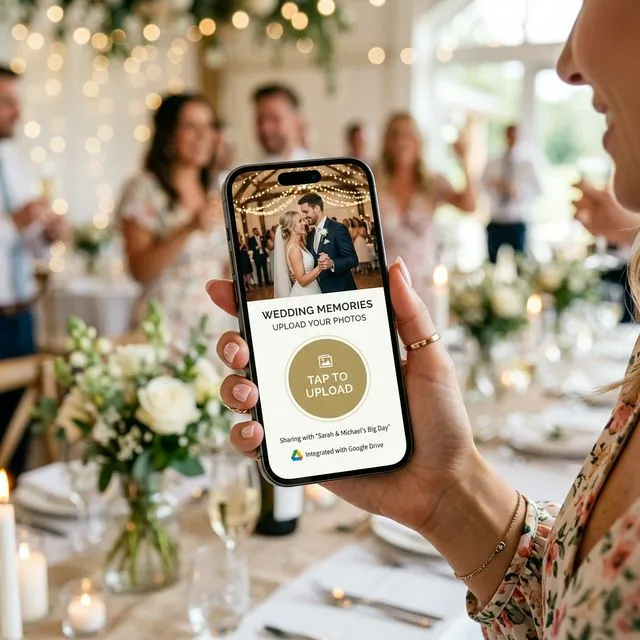
EventSnap acts as a secure middleman. It provides a beautiful, user-friendly frontend page for your guests, while using the official Google API to connect to your Drive on the backend.
How It Works (Step-by-Step)
- You Authenticate (Once): You log into EventSnap and connect your Google account. You grant EventSnap permission to create a single dedicated folder in your Drive.
- The Bridge is Created: EventSnap generates a custom QR code for your event.
- Guests Scan (No Login): A guest scans the QR code at your wedding. It opens EventSnap's optimized mobile page. They are never asked for an app, an email, or a Google password.
- The Upload: The guest selects their photos and taps "Upload."
- The Delivery: EventSnap securely transfers those files directly into the folder in your Google Drive, in their original, uncompressed resolution.
Because EventSnap uses the API, the incoming photos are credited to your storage quota, not the guest's. Your guests experience zero friction, and you get exactly what you wanted: thousands of high-resolution memories saved permanently in your personal cloud.
FAQ: Guest Uploads to Google Drive via QR Code
How do I create a QR code for guests to upload photos to Google Drive?
The best way is to use a bridge tool like EventSnap. You connect your Google account to EventSnap, which generates a QR code. When guests scan it, they see a simple upload page (no login required) and their files are routed directly to a designated folder in your Google Drive via the API.
Can guests upload to Google Drive without a Google account?
Natively, no. Google requires authentication to upload to shared folders to prevent spam. However, by using a third-party bridge API service like EventSnap, guests interact with a secure front-end page without logging in, and the API securely writes the files to your Drive.
Why do guests get a login screen when scanning my Google Drive QR code?
When guests scan a native Google Drive QR code, it opens in their phone's mobile browser (like Safari on iOS). Mobile browsers do not automatically share the login session from the Gmail or YouTube apps, triggering a mandatory Google login screen that blocks 60-70% of guest uploads.
Remove the Google Login Wall
Get your free EventSnap QR code today. Let guests upload seamlessly to your Drive with zero friction.
✨ Connect Your Google Drive Free