 ⚖️ Comparison
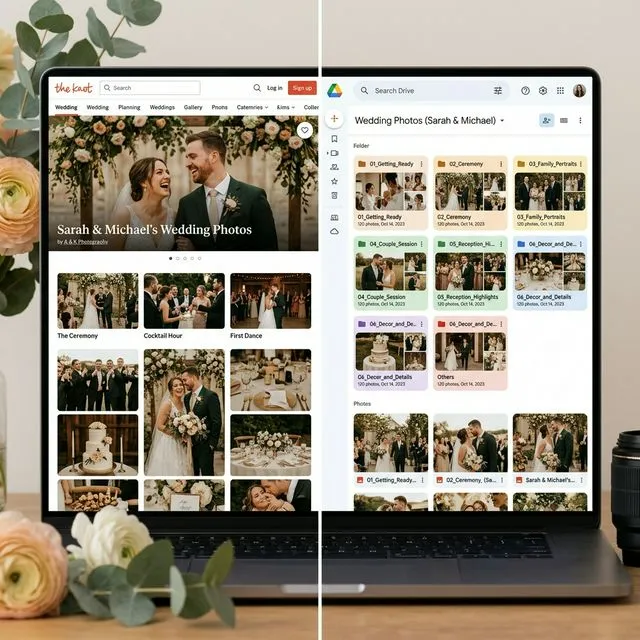
The Knot Shared Albums vs. Google Drive: What's the Best Way to Collect Wedding Photos?
Google Drive is the more reliable long-term solution for wedding photos because it preserves full-resolution files permanently, while The Knot's shared albums can compress images and become inaccessible if you delete your account. The missing link is EventSnap, a QR code tool that bridges the gap by letting guests upload directly to your Google Drive without needing a Google account or app download.

Quick Answers: The Knot vs Google Drive
Which is better for wedding photos, The Knot or Google Drive?
Google Drive is better for long-term photo storage. It keeps files in full original quality forever, while The Knot may compress images and limits access to their platform. The Knot excels at wedding planning features (RSVPs, vendor search, registry), use it for planning, use Google Drive for photo preservation.
How do guests upload to Google Drive without a Google account?
Use EventSnap, guests scan a QR code and upload photos through a browser page. EventSnap routes files to your Drive using your authorized connection. Guests never need a Google account, app download, or login of any kind.
Does The Knot compress wedding photos?
The Knot's website gallery optimizes images for web display, which can reduce quality. Google Drive stores the exact original file with zero compression.
The Real Wedding Photo Challenge in 2026
Your wedding day is a 10-hour whirlwind of unforgettable moments. Your professional photographer will capture 400–800 stunning, posed shots. But the candid gold, your college friends' table erupting in laughter, grandpa tearing up during the toast, the flower girl photobombing the cake cutting, those moments live exclusively on your guests' phones.
The question every couple faces: how do you actually collect those 150+ guest photos into one place?
Two paths dominate the conversation. Option A: use The Knot's built-in tools, since you're already planning your wedding there. Option B: use Google Drive, because you already trust Google with your email, documents, and years of personal photos. Both sound reasonable on the surface. Both have significant blind spots that most couples don't discover until after the honeymoon.
This comparison breaks down the technical realities of each, identifies the gaps in both approaches, and explains the solution that bridges them.
What The Knot Actually Offers for Photo Collection
The Knot is the largest wedding planning platform in the world, and its free wedding website builder is genuinely excellent for RSVPs, vendor directories, guest lists, and registries. But when it comes to guest photo collection, the offering is thin:
- Photo Gallery: The Knot lets the couple upload curated photos to their wedding website. This is designed for engagement shoots and professional photos that you share with guests, not the other way around.
- No Guest Upload Feature: The Knot does not offer a native way for 150 guests to bulk-upload their candid reception photos to your website.
- The Guest App (Discontinued): The Knot previously owned a photo sharing app called The Guest (formerly Veri), but it was shut down in 2022/2023. There is no current replacement within The Knot's ecosystem.
Key Limitations of The Knot for Photo Storage
- Image compression: Photos uploaded to The Knot's gallery may be compressed for web optimization, reducing quality.
- Platform dependency: If you ever delete your The Knot account or The Knot changes their data retention policy, your photos could be lost. Your wedding photos live on their servers, not yours.
- No video support: The Knot's gallery is primarily designed for photos. Full-resolution 4K wedding videos, toast recordings, first dance clips, don't fit into their framework.
- Access friction: Sharing curated galleries requires guests to navigate to your specific Knot website page, which many forget to do after the wedding.
What Google Drive Gets Right
Google Drive is the storage layer that over 1.8 billion people already use. For wedding photos, it addresses nearly every weakness The Knot has:
- Full-resolution preservation: Google Drive stores files exactly as they are. A 48MP iPhone photo and a 4K video arrive and stay in their original quality with zero compression.
- Permanent ownership: Your files are in your Google account. No platform sunset, no account expiry, no third-party shutdown risk.
- 15 GB free storage: A standard Google account includes 15 GB, enough for roughly 3,000 high-resolution photos. Google One plans offer up to 2 TB for $9.99/month.
- Enterprise-grade security: Google encrypts files at rest and in transit, replicates data across multiple global data centers, and offers two-factor authentication.
- Universal access: Photos can be viewed, downloaded, or shared from any device through the Google Drive app or web interface.
- Built-in organization: Folders, sub-folders, search, and AI-powered photo recognition make managing thousands of files straightforward.
| Factor | The Knot | Google Drive |
|---|---|---|
| Photo quality | ⚠️ May compress | ✅ Full original resolution |
| Video support | ❌ Limited | ✅ Any format, up to 5 TB per file |
| Data ownership | ⚠️ Platform dependent | ✅ Your account, permanently |
| Free storage | Included with wedding website | 15 GB free |
| Guest upload support | ❌ No native feature | ⚠️ Requires Google login |
| Shutdown risk | ⚠️ Already lost The Guest app | ✅ Minimal (Google infrastructure) |
| Organization tools | Basic gallery | ✅ Folders, search, AI recognition |
| Wedding planning | ✅ RSVPs, vendors, registry | ❌ Not a planning tool |
The One Problem With Google Drive (And How to Solve It)
Google Drive wins on almost every technical metric. But it has one critical weakness that stops most couples from using it for guest photo collection: guests need a Google account to upload files.
If you share a Google Drive folder link with your 150 wedding guests, here's what actually happens:
- Guests with a Google account who are logged in can upload. Maybe 60% of your guest list.
- Guests without a Google account, or those not currently logged in on their phone, hit a login wall. They're asked to sign in or create an account just to share a few photos.
- Older relatives, international guests on different ecosystems, and privacy-conscious friends immediately drop off.
- Even logged-in guests might accidentally delete, rename, or move other people's files in a shared folder, Google Drive shared folders give everyone edit access by default.
The result? You collect photos from maybe 30–40% of your guests. The rest give up at the login screen or never bother trying. We wrote a detailed breakdown of why raw Google Drive shared folders fail at weddings.
EventSnap: The Bridge Between Your Guests and Your Google Drive
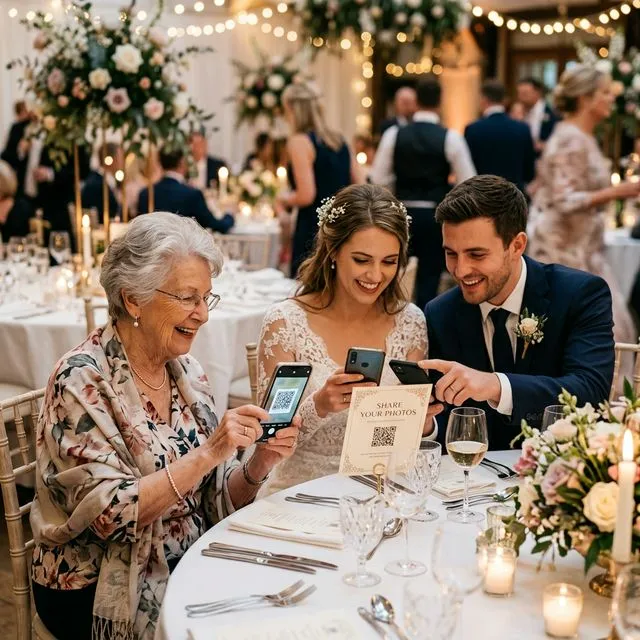
EventSnap solves the Google Drive login problem by acting as a secure, one-way upload bridge. Here's how it works:
- You create a free EventSnap event (30 seconds). This connects to your Google Drive and creates a dedicated folder.
- EventSnap generates a QR code and shareable link.
- Guests scan the QR code or tap the link. A mobile-optimized upload page opens in their browser, no app download, no Google login, no account creation.
- They select photos and videos, tap upload. Files travel directly to your Google Drive folder.
The critical security detail: guests can only upload. They cannot see other people's files, cannot delete anything, cannot rearrange your folder, and cannot access any part of your Google account beyond the designated upload folder. EventSnap acts as a protective layer that gives guests frictionless access while keeping your Drive completely safe.
This is why we call it "Bring Your Own Storage", you get all the benefits of Google Drive's permanent, full-resolution storage without any of the friction or security risks of sharing a raw Drive folder.
The Complete Comparison: The Knot vs Google Drive vs EventSnap
| Feature | The Knot | Google Drive (Raw) | EventSnap + Drive |
|---|---|---|---|
| Guest uploads | ❌ Not supported | ⚠️ Requires Google login | ✅ No login needed |
| App download | N/A | ⚠️ Drive app helpful | ✅ Browser only |
| Photo quality | ⚠️ Compressed | ✅ Full resolution | ✅ Full resolution |
| Video (4K) | ❌ Limited | ✅ Supported | ✅ Up to 1 GB per file |
| Data ownership | ⚠️ Platform | ✅ Yours | ✅ Yours (in Drive) |
| File security | ⚠️ Platform terms | ⚠️ Guests can delete | ✅ Upload only, no delete |
| Guest participation | Low (no tool) | ~35% (login wall) | ✅ ~72% avg |
| Live slideshow | ❌ | ❌ | ✅ Real-time |
| Digital guestbook | ❌ | ❌ | ✅ Messages + captions |
| Cost | Free (website) | Free (15 GB) | Free or $9.99 |
The Best Approach: Use Both (The Smart Way)
The Knot and Google Drive aren't competitors. They're complementary tools that serve completely different purposes. The smartest couples in 2026 use both:
Use The Knot for Planning
- Building your beautiful wedding website
- Managing RSVPs and guest lists
- Coordinating with vendors
- Sharing your registry
- Showcasing professional engagement photos
Use EventSnap + Google Drive for Guest Photos
- Collecting candid guest photos and videos during the event
- Preserving full-resolution files permanently in your own Drive
- Running a live slideshow at the reception
- Collecting a digital guestbook with written messages
- Organizing and archiving memories after the wedding
You can even add your EventSnap QR code directly to your The Knot website as a custom page, creating a seamless experience for guests who visit your Knot site.
Real Data: What Happens When You Remove Login Barriers
The participation gap between login-required solutions and browser-based tools is significant. Data from EventSnap's platform across 200+ events shows:
- Average guest participation with EventSnap QR codes: 72% of attendees upload at least one file
- Average guest participation with shared Google Drive folders: ~35% (limited by login requirements)
- Average guest participation with The Knot (no upload tool): Near-zero guest-contributed photos
- Average photos collected per wedding with EventSnap: 247 photos and videos
The difference is staggering. When you remove every friction point, no app, no login, no account, guests share twice as many memories. The bride's aunt who only uses Facebook, the groomsman's parents visiting from abroad, the flower girl's dad who doesn't have a Google account, they all contribute when the barrier is simply "point your camera at that QR code."
What to Do After the Wedding
One of the biggest advantages of the Google Drive approach is what happens after your big day. Your photos are already organized in a clean folder, sitting in your personal cloud storage. From there you can:
- Download the entire collection to an external hard drive as a backup
- Create shared albums in Google Photos for family members
- Order prints directly from Google Photos or export to any print service
- Organize into sub-folders by ceremony, cocktail hour, reception, afterparty
- Search visually using Google's AI to find specific people, objects, or moments
For a detailed walkthrough of post-wedding photo organization, see our Masterclass on organizing 1,000+ event photos in Google Drive.
Related: Wondering what happened to The Knot's photo sharing app? Read our full breakdown of the best alternative to The Knot's discontinued "The Guest" app.
Own Your Memories. Forever.
Stop debating platforms. Create a free EventSnap event and let your guests upload directly to your Google Drive in seconds. No apps, no logins, no compression.
🎉 Create Your Free QR Code