 Software Guide
A Masterclass in Google Drive: How to Organize, Search, and Archive 1,000+ Event Photos

Quick Answers: Google Drive Event Photos Masterclass
How do you organize event photos in Google Drive?
EventSnap automatically creates a dedicated folder for each event. All guest uploads go into this folder with original filenames and metadata preserved. You can organize further with Google Drive subfolders after the event.
Can guests upload event photos to my Google Drive without a Google account?
Yes. With EventSnap, guests scan a QR code and upload through their browser. They do not need a Google account. Photos are transferred to your Drive via a secure API connection.
Waking up the morning after your wedding or massive corporate conference brings an incredible sense of relief. You managed the catering, you survived the speeches, and thanks to modern QR code technology, your guests captured hundreds of incredible candid moments. However, opening your laptop to discover a single, monolithic digital folder containing thousands of randomly named image and video files induces an entirely new type of anxiety.
This psychological burden hits immediately. You suddenly possess an endless sea of digital media. The file names are useless strings of random numbers. The chronological order is entirely fractured because guests uploaded their photos in massive chaotic batches. The sheer volume of material is staggering.
Most people give up. They close their laptops, promise themselves they will organize the photos next weekend, and inevitably, those precious memories sit untouched for decades inside a forgotten cloud directory. This failure of digital execution is a tragedy. Fortunately, if you utilized a platform that routes media directly to Google Workspace, you already possess access to the most powerful digital asset management tools on the planet.
This masterclass will transform the way you interact with mass media volume. We will explore precisely how to architect a bulletproof folder taxonomy, execute advanced bulk renaming protocols, and leverage the tremendous capability of Google Drive artificial intelligence to instantly locate any memory imaginable.
Architecting a Resilient Folder Taxonomy
The foundation of all sanity in cloud storage begins with creating a strict categorical hierarchy. When a massive data dump occurs, the default response for an uneducated user is creating a single new folder titled simply Wedding Photos or Company Retreat. Throwing two thousand files into one directory guarantees entirely unsearchable chaos.
You must establish a chronological taxonomy before you even begin sorting the raw image files. Think of your event exactly like a dramatic narrative. A wedding is not a single moment. It is a series of distinctly sequential chapters. By creating localized subdirectories that map explicitly to these chronological phases, you drastically reduce the cognitive load required to find specific material later on.
We recommend creating a central root folder representing the macro event. Inside this master folder, you configure a numerical sequence of specific phases. We use numbers at the beginning of the folder titles to force the operating system to arrange them perfectly in chronological order rather than alphabetical order.
- 01 Pre Ceremony Preparations
- 02 Guest Arrivals and Mingling
- 03 The Main Ceremony
- 04 Cocktail Hour Connections
- 05 Reception Formalities
- 06 The Dance Floor
- 07 The Photobooth Captures
- 08 The Late Night Departure
By enforcing this structure immediately, sorting becomes remarkably fast. You select large batches of thumbnails representing the dance floor, and you drop them into folder number six. Once categorized this way, you no longer have two thousand overwhelming images. You have eight highly manageable libraries representing specific emotional beats of your event execution.
Executing Brutal Bulk Renaming Protocols
Guest uploads arrive carrying terrible file names. An iPhone will contribute an image titled image4592.jpeg while an Android device might deliver 20260423_1845.jpg. These titles provide absolutely zero semantic value when searching.
Fortunately, you do not need to individually rename thousand of files manually. The secret resides in utilizing desktop synchronization tools. By installing the official Google Drive application for your Mac or Windows computer, your cloud architecture perfectly mirrors a local hard drive. This allows you to leverage native desktop bulk renaming functionalities.
For Apple users, simply highlight every file inside a specific subfolder, right click the selection, and choose Rename Items. A powerful dialogue box appears allowing you to select Format. You simply type your desired name, such as Reception Speech, and the system instantly renames every single photo sequentially. Reception Speech 1, Reception Speech 2, Reception Speech 3. Microsoft Windows features similar built in functionality when pressing the F2 key on a highlighted block of files.
By unifying your nomenclature within each chronological folder, you construct an infinitely more professional and permanently searchable media archive. When printing companies eventually ask you for specific files, delivering comprehensively titled assets eliminates massive confusion.
Mastering Native Google Drive Artificial Intelligence
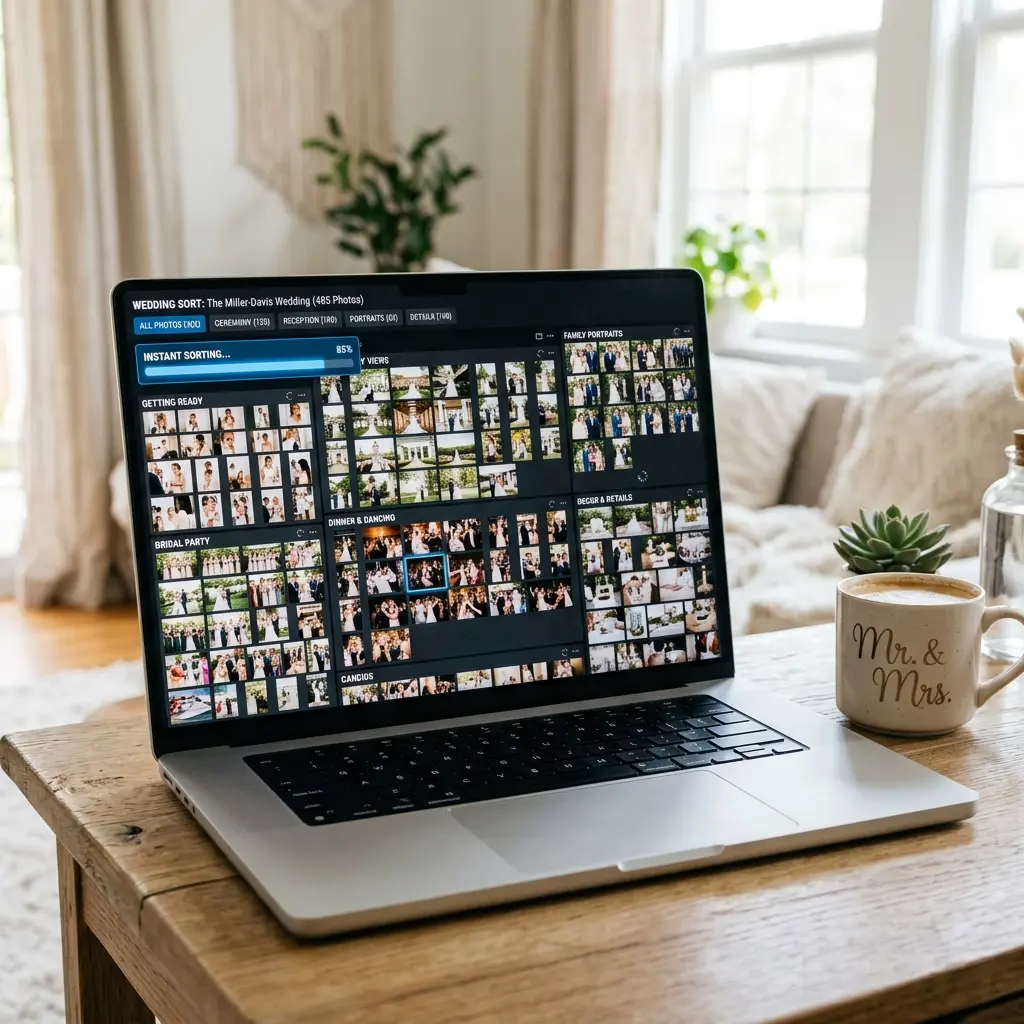
Perhaps the most powerful feature hiding in plain sight within Google Workspace is the incredibly sophisticated machine learning algorithm constantly parsing your uploaded imagery. The vast majority of consumers remain entirely unaware that Google Drive actively analyzes and catalogues the visual content of every single photograph you store.
You do not need to meticulously hashtag your photos. You do not need expensive third party software to locate specific elements. The search bar sitting perfectly at the top of your Google Drive interface is secretly a powerful AI gateway.
If you are trying to assemble an album and you want to gather all the photos taken featuring a specific color, simply type blue dress into the Drive search bar. The algorithm instantaneously filters two thousand images, presenting exactly those files containing guests wearing blue dresses. It functions beautifully for identifying objects. Searching the word cake, sunglasses, or dog will magically surface every background detail captured organically by your guests.
This functionality becomes invaluable for corporate planners. Imagine organizing a massive weekend conference. You want to locate every organic guest photo that accidentally captured the primary sponsor logo in the background. By executing a specialized optical character recognition search, Google Drive will scan the actual text physically written within the images, instantly pulling up every candid shot featuring that specific brand name. This demonstrates exactly why parking your data within the Google ecosystem is a massive strategic advantage compared to allowing it to rot on a proprietary startup server.
Secure Distribution: The Art of View Only Links
After you organize your brilliant new archive, the inevitable requests begin arriving. Relatives want to see the photos. Corporate attendees demand access to the conference gallery. You must distribute the material without compromising the integrity of your master folders.
Never invite outside users directly as editors to your central repository. One confused relative accidentally hitting the delete key will permanently erase hundreds of files. You must master the subtle art of generating restrictive access gateways.
Google Drive allows you to right click any folder and select Share. Within this menu, always modify the General Access setting specifically to Anyone With The Link. Crucially, verify that the adjacent permission role is rigidly set to Viewer. This configuration guarantees that anyone holding the link can seamlessly browse the gallery, download high resolution copies for their own personal archives, and even print their favorites, but they absolutely cannot modify, reorganize, or delete your precious original files.
You can even isolate distribution. If your coworkers threw a notoriously wild after party, you can drag those highly sensitive photos into a dedicated subfolder, and generate a view only link targeted exclusively to that specific folder, keeping the wider professional gallery completely sanitized for public consumption.
Physical Integration: Defeating the Digital Void
Digital permanence represents only half of the equation. To truly honor the memories collected during your gathering, you must bridge the gap back to the physical world. The monumental advantage of organizing your files flawlessly inside Google Workspace is universal interconnectivity.
Every premium physical printing service natively integrates with Google. Whether you are building an elaborate hardcover wedding album on a major consumer retail site, or ordering high gloss acrylic wall art, those platforms allow you to authenticate your Google account and pull your meticulously organized files directly from the cloud. No downloading massive zip files to your desktop required.
Furthermore, modern smart picture frames sync directly with specific Google Drive directories. By identifying a curated folder as your greatest hits collection, you can push a rotating gallery of brilliant crowdsourced photos directly into your living room on a permanent, delightful loop.
You utilized an incredible tool to collect the data effortlessly. Do not abandon the project at the finish line. Embrace the astonishing power of cloud architecture, organize your memories ruthlessly, and guarantee their survival for the next hundred years.
Stop renting your event memories.
Capture thousands of photos directly to your personal Drive. Own your data forever with zero subscription fees.
Start Now For Free