 📸 Photography Tech
The Best Camera Settings & File Formats for Google Drive Wedding Uploads

Quick Answers: Camera Settings for Google Drive Weddings
Should wedding guests shoot in HEIC or JPEG?
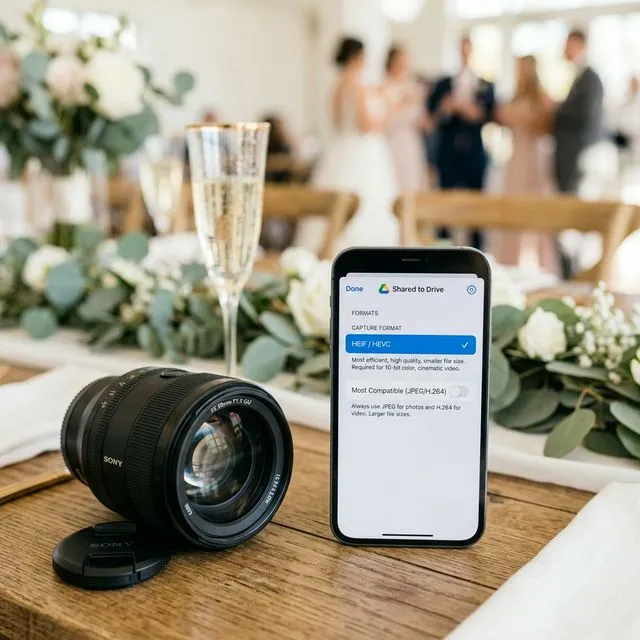
HEIC produces smaller files with identical quality and is the default on modern iPhones. Google Drive stores both formats at full resolution. EventSnap uploads HEIC files without conversion or quality loss.
Does Google Drive compress 4K wedding videos?
No. Unlike Google Photos, Google Drive stores files byte-for-byte. A 4K video uploaded via EventSnap arrives at the exact original quality.
How much Google Drive storage do you need for a wedding?
A typical 150-guest wedding generates 5-15 GB of photos and videos. The free 15 GB tier often covers photos alone, but 4K video can push past that. Google One at $2.99/month for 100 GB is a safe buffer.
You’ve secured the perfect "Bring Your Own Storage" system by linking EventSnap to your Google Drive. You’ve bypassed the dreaded login wall. But now comes the question every detail-oriented couple and photographer eventually asks:
"How do I make sure Google Drive doesn’t crush the quality of my guests' photos?"
In this technical guide, we break down everything you need to know to ensure you successfully upload original quality photos to Google Drive at your wedding. We’ll cover the great HEIC vs JPEG debate, how 4K video impacts your storage limits, and why a direct API connection is the ultimate safeguard against compression.
Google Drive vs Google Photos: The Quality Difference
First, a critical distinction: Google Drive is not Google Photos.
Google Photos has a setting called "Storage Saver" (formerly "High Quality") which automatically compresses images to 16MP and lowers video resolution to 1080p to save space.
Google Drive operates differently. By default, Google Drive treats photos and videos like standard data files. If you upload a massive 50MB RAW file, Google Drive stores exactly 50MB of data. It does not natively compress your files.
However, quality loss usually happens before the file reaches Google Drive, specifically during the mobile browser upload process. This is why using an API bridge (like the EventSnap method) is so vital-it bypasses aggressive mobile browser compression and pushes the original file bytecode directly to the Google server.
HEIC vs JPEG: Google Drive Wedding Edition
If 80% of your wedding guests are using iPhones, almost all of their candid shots will be captured in Apple’s default HEIC (High-Efficiency Image Container) format.
When searching for "HEIC vs JPEG Google Drive wedding," you are balancing two conflicting needs: Storage Space vs Universal Compatibility.
The Case for HEIC
HEIC is a modern compression algorithm that produces images with better quality than JPEG at roughly half the file size.
- Storage Savings: A standard iPhone JPEG might be 4MB. The exact same photo in HEIC is 2MB. When scaled across 1,000 guest uploads, HEIC saves you gigabytes of Google Drive quota.
- Quality Retention: HEIC supports 16-bit deep color, whereas JPEG is stuck at 8-bit. For those stunning sunset ceremony shots, HEIC captures more vibrant, accurate gradients.
The Case for JPEG
The only downside to HEIC is compatibility. While modern Macs and iPhones display HEIC natively, some older Windows PCs or third-party photo frame software do not natively recognize the `.heic` extension without a plugin.
The 2026 Verdict: Stick with HEIC. Most guests won't change their default camera settings anyway. Google Drive allows you to preview HEIC files perfectly in the browser. You save massive amounts of storage, retain higher quality, and can easily batch-convert the files later if you need to print standard JPEGs for an album.
The 4K Video Problem: Preparing Your Quota
While still photos are manageable, modern smartphones are capable of recording 4K video at 60 frames per second (fps). The file sizes for these videos are staggering.
A single minute of 4K/60fps video on an iPhone consumes approximately 400MB to 440MB.
If just 20 guests each upload a 2-minute video of the speeches and the first dance, you are instantly hit with over 16GB of data. Because EventSnap routes these uploads directly into your Google Drive to preserve original quality, that 16GB counts against your quota.
Action Plan: Upgrade to Google One
A free Google account provides 15GB of total storage (shared across your Gmail, Photos, and Drive). This is rarely enough for a modern wedding if you are collecting uncompressed video.
Our strongest recommendation: One week before your wedding, upgrade your Google account to a Google One 100GB plan (currently $1.99/month or $19.99/year). It is the cheapest, most effective "insurance policy" to ensure your gallery accepts every single 4K video your guests throw at it.
Tip for Tech-Savvy Hosts: When sending out your "morning after" text reminder for guests to upload photos, you can kindly request: "We want all the original quality magic! Don't compress them in a group text first, just use the upload link directly."
FAQ: Formats & Quality
How do I upload original quality photos to Google Drive for a wedding?
Unlike Google Photos, Google Drive does not automatically compress files if you upload them directly. However, guest uploads from mobile web browsers can sometimes be compressed by the browser itself. To guarantee original quality, use a direct API pipeline service like EventSnap combined with your Google Drive.
HEIC vs JPEG for Google Drive wedding uploads: Which is better?
Google Drive natively supports storing both. HEIC takes up about half the storage space of a JPEG for the same image quality, making it vastly superior for saving Drive quota during a wedding. However, if you plan to share the raw folder with older Windows PCs later, JPEG ensures maximum immediate compatibility.
Will 4K iPhone videos fill up my Google Drive?
Yes, a minute of 4K video at 60fps can consume over 400MB. If 10 guests upload 3 videos each, that's 12GB-almost a full free Google account. We highly recommend upgrading to a 100GB Google One plan before the wedding to ensure no uploads are blocked.
Recommended Camera Settings at a Glance
Secure Your Original Quality Memories
EventSnap transfers files uncompressed straight to your Google Drive. Never lose a pixel of memory.
✨ Connect Your Google Drive Free