 Event Planning Guide
The Physics of QR Code Signage: Lighting, Materials, and Sizing for Flawless Scanning

Quick Answers: QR Code Signage Tips
What size should a QR code be for event signage?
For table-top placement (1-2 feet scanning distance), at least 2x2 inches. For wall-mounted signs (4-6 feet distance), at least 6x6 inches. The rule of thumb is 1 inch of QR code per 1 foot of scanning distance.
What materials work best for printing QR codes?
Matte cardstock or foam board work best because they reduce glare from venue lighting. Avoid glossy or reflective surfaces. For outdoor events, laminated prints or acrylic stands are weather-resistant.
Does lighting affect QR code scanning?
Yes. Direct spotlights can create glare that prevents scanning. Place QR codes at angles that avoid direct light reflections. Backlit or edge-lit displays work well in dim venues.
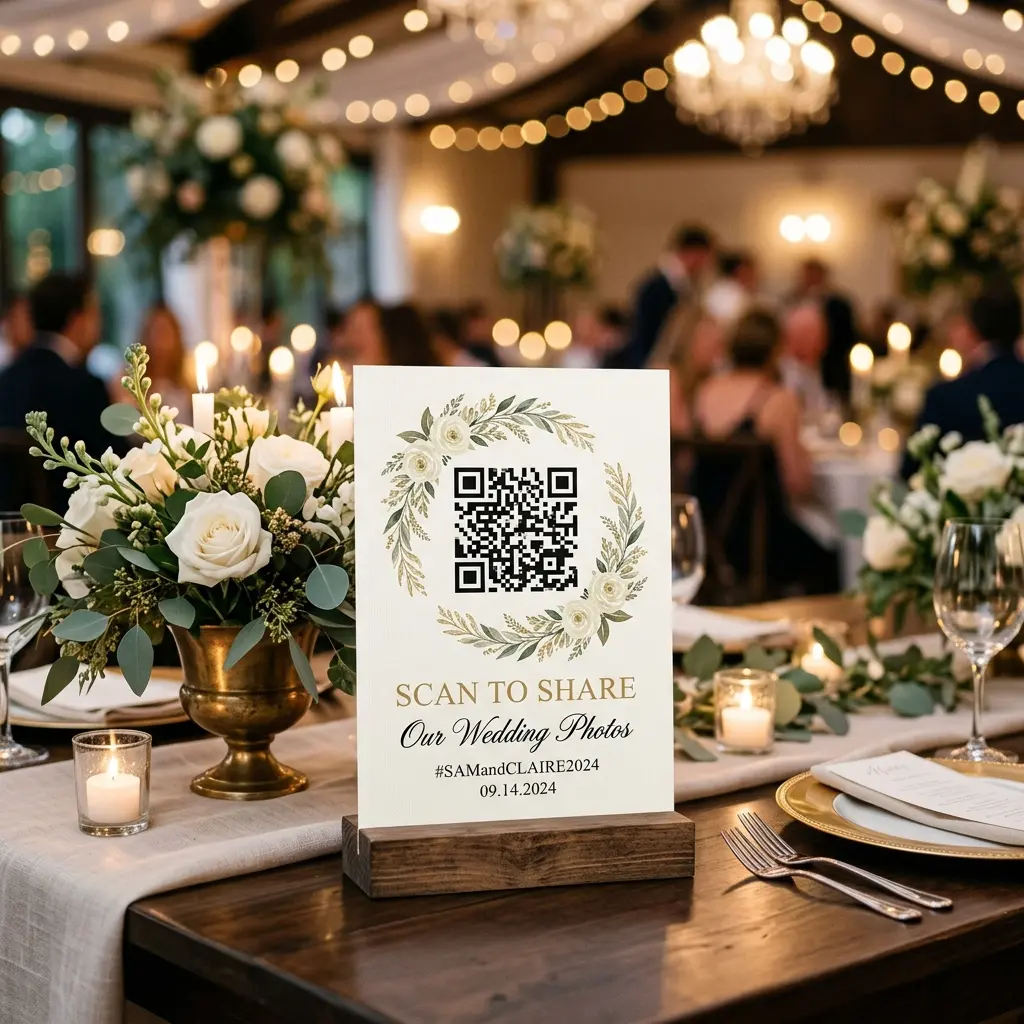
Planning an event involves bridging the gap between digital expectations and physical realities. One of the most common failures at modern weddings and corporate events happens when the digital world meets the physical world. Event hosts spend hours selecting the perfect photo sharing platform, designing beautiful digital templates, and carefully managing guest lists. Yet, when the doors open and the party begins, guests cannot scan the QR codes printed on the tables.
This is a devastating scenario. You invest heavily in an elegant digital guestbook or an advanced photo aggregation tool like EventSnap, only to watch guests struggle, squint, and eventually give up because their smartphone cameras cannot register the printed barcode. The root cause of this failure rarely involves the software itself. Almost entirely, these failures stem from a misunderstanding of the physics involved in QR code scanning. When planners ignore the fundamental science of light reflection, distance scaling, and material finishes, the user experience collapses completely.
To ensure 100 percent guest participation, event organizers must approach their signage strategically. This comprehensive guide will dissect the exact physical requirements for flawless QR code scanning. We will cover the mathematical formulas for optimal sizing, the critical importance of material selection, and exactly how ambient lighting dictates success or failure.
The Golden Formula: How Large Should Your Printed QR Code Be?
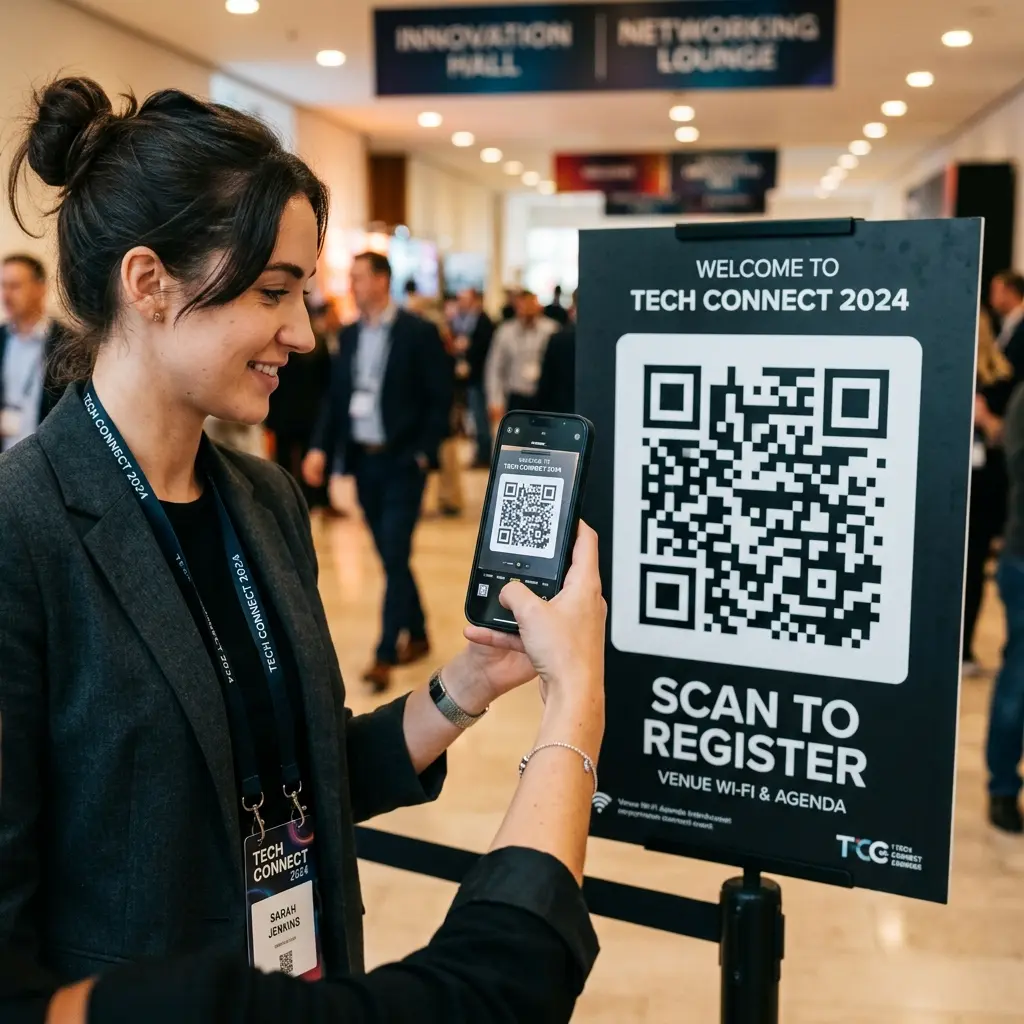
The most frequent question asked by couples and corporate planners is simply how large to print their QR code signage. The answer is not a fixed dimension. The correct size of a QR code relies entirely on a strict mathematical relationship between the physical size of the graphic and the physical distance of the scanner.
Smartphone cameras have evolved significantly. The lenses on standard iPhones and modern Android devices interpret sharp contrasts intelligently, but they are limited by optical resolution at a distance. If a code is too small, the camera sensor cannot distinguish the individual black and white data squares known as modules. When the modules blur together, a scan fails.
To calculate the minimum required size for any QR code, you must use the industry standard 10 to 1 ratio formula. This rule states that the distance from the scanner to the sign, divided by 10, gives you the absolute minimum printing width of the QR code itself.
Consider a standard dining table setup. A guest is sitting at a round banquet table and sees a small table tent card positioned directly in the center next to the floral arrangement. The distance from the guest extending their smartphone to the center of the table is approximately 30 inches or roughly 75 centimeters. Applying our formula, 30 inches divided by 10 equals 3 inches. Therefore, the QR code on that table tent must be a minimum of 3 inches wide and 3 inches tall. If you print the code any smaller, guests will be forced to stand up, lean over other attendees, and awkwardly hover their phones directly over the centerpiece.
Now consider a completely different environment. You are placing a massive welcome easel at the entrance to a convention hall. Guests are walking through a busy corridor and will attempt to scan while standing several feet away to avoid causing a traffic jam. If the average guest stands 100 inches away from the sign, your formula dictates that the QR code itself must be a minimum of 10 inches wide. Remember that this measurement applies strictly to the data graphic, not the border or the entire physical canvas.
It is always safer to overcompensate. Increasing the size by an additional 20 percent guarantees that older smartphone models equipped with lower resolution cameras will still capture the data effortlessly.
Material Science: Why Acrylic Signage Ruins Digital Experiences
The aesthetic trend of printing event signage on transparent or high gloss acrylic has swept through the wedding and corporate event industries. While glass and polished acrylic look incredibly Premium when positioned on a gold easel, they are the absolute worst enemies of digital scanning technology.
QR codes rely completely on the concept of high optical contrast. A camera lens must register sharp, definitive boundaries between the dark data modules and the bright background. High gloss materials subvert this process through a phenomenon known as specular reflection. In simple terms, gloss surfaces act exactly like mirrors. When an event space features dynamic uplighting, moving club lasers, or bright sunshine pouring through floor to ceiling windows, an acrylic sign will catch those light sources and beam glaring reflections directly into the lens of the scanning guest.
When a reflection obscures even a minor section of the QR code, the data becomes temporarily unreadable. Guests usually blame the app or their cell service, unaware that a shiny piece of plastic has blinded their camera lens.
The solution is strict adherence to matte finishes. Event planners must prioritize materials that absorb light rather than reflect it. Heavy matte cardstock is exceptionally reliable and wildly affordable. Untreated wood provides a beautiful rustic aesthetic while guaranteeing absolute scannability due to its porous, non reflective nature. High quality matte foam core boards represent the industry standard for large scale welcome signage precisely because they eliminate glare.
If a client absolutely insists on an acrylic aesthetic, there is a strategic compromise. You must apply a frosted backing directly behind the QR code section of the sign, and the code itself should be printed using specialized matte ink or matte vinyl cutouts. Never allow the fundamental data graphic to reflect environmental light.
Contrast Ratios: Avoiding Aesthetic Catastrophes
Alongside material gloss, contrast ratio represents the second most critical visual element for QR functionality. The original architectural design of the QR standard utilized pure black modules isolated entirely by a pure white background. This maximizes visibility.
Graphic designers frequently attempt to match QR codes to an overarching brand kit or a curated wedding color palette. They might generate a pale blush pink QR code situated on a soft cream background. While this might look beautifully integrated into the decor, it is functionally useless. Smartphone lenses struggle to decipher edge lines between two closely related pastel colors.
Always maintain a minimum contrast ratio of 4 to 1. The data modules themselves must always be significantly darker than the background canvas. You can successfully print a navy blue code on a pure white background, or a deep forest green code on pale ivory paper. You must never inverse this concept. A white QR code printed directly onto a black background creates massive interpretation errors for older Android and Apple operating systems resulting in failed interactions.
Furthermore, ensure the quiet zone is respected. The quiet zone is the mandatory blank physical border surrounding the actual data squares. This empty perimeter tells the scanner where the background ends and the crucial data begins. Most generators advise leaving a margin equal to the width of four data modules. Crowding the QR code with intricate floral graphics or dense corporate typography will completely compromise the scanning algorithm.
Ambient Lighting: The Invisible Factor
Lighting transforms over the course of an event lifecycle. A bright, sunlit outdoor cocktail hour eventually transitions into a darkly intimate, candlelit dinner reception. Your signage must perform correctly across this entire continuum.
Paper table tents that scan flawlessly at three o'clock in the afternoon might become completely invisible by nine o'clock in the evening. When the ambient lighting dips below the threshold required by a smartphone sensor, guests are forced to rely on their camera flash. Remember the section discussing material science. If a guest fires an LED flash directly into an acrylic sign in a dark room, the attempt will fail spectacularly.
To combat low light environments, planners should implement targeted architectural illumination. Placing small battery operated pin spots strategically above vital welcome signage ensures consistent legibility regardless of atmospheric venue lighting. Alternatively, upgrading table centerpieces to feature subtle internal lighting or positioning the table tents adjacent to votive candles provides enough ambient brightness for a smartphone scanner to lock onto the contrast lines without triggering an obtrusive flash.
Another profound innovation involves backlit digital displays. Instead of relying solely on physical print mediums, integrating your QR code into rolling digital slideshows on venue monitors provides absolute clarity. Because screens generate their own localized backlight, guests can easily scan a code displayed on an LED television even in complete atmospheric darkness.
Actionable Takeaways for Event Hosts
The overarching goal of utilizing a platform like EventSnap is removing friction from the guest experience. Collecting thousands of authentic, crowdsourced memories directly into an encrypted Google Drive folder relies entirely on maximizing attendee participation. By mastering the physical presentation of your access points, you guarantee phenomenal engagement metrics.
Let us review the fundamental rules for perfect execution.
- Evaluate your scanning distances immediately and apply the simple 10 to 1 sizing formula. Measure the space critically, do not guess.
- Demand 100 percent matte materials from your stationery provider. Sacrifice the shiny aesthetic to ensure total functional reliability.
- Protect contrast at all costs. Keep the code dark and the background extremely light.
- Respect the quiet zone buffer, ensuring that your beautiful artistic elements never bleed into the operational data matrix.
- Anticipate the venue lighting transition. Ensure your crucial touch points remain visible long after the sun goes down.
When you align the immense digital power of the EventSnap platform with flawless physical environmental execution, the results are extraordinary. You transform a room full of passive observers into an active, engaged army of automated photographers, capturing every incredible angle of your remarkable celebration without exposing your guests to endless frustration.
Ready to collect thousands of flawless photos?
EventSnap routes everything your guests capture straight to your secure Google Drive. No app downloads required.
Get Started For Free