 🛠️ Design and Creation Masterclass
How to Create the Perfect QR Code for Wedding and Event Photos: The Ultimate 2026 Comprehensive Guide

Quick Answers: Creating a QR Code for Wedding Photos
How do you create a QR code for wedding event photos?
Sign in to EventSnap with Google, create an event, and your QR code is generated instantly. Print it and place it on reception tables. Guests scan with their phone camera to upload photos directly to your Google Drive.
Do you need a special app to create a wedding QR code?
No. EventSnap is browser-based. Sign in at eventsnap.co, create an event, and download your QR code. Guests also need no app. They scan the code and upload through their phone browser.
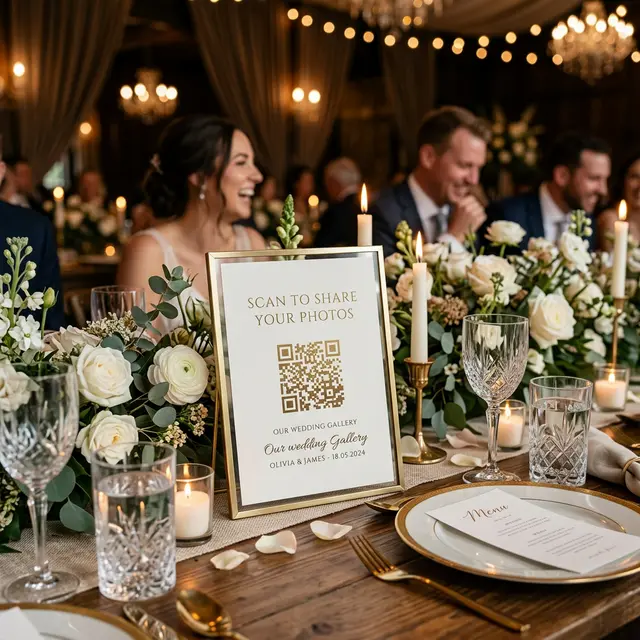
Your lovely guests are sitting at their reception tables, completely ready to securely upload an incredibly blurry but hilarious video of the best man making a spectacular toast. However, the custom QR code prominently placed on the table centerpiece absolutely refuses to scan. Alternatively, in an even darker scenario, it successfully scans but immediately returns a horrifying link expired default error screen on the guest's mobile device. This document is specifically engineered to be the definitive, foolproof guide to properly generating, intricately designing, and physically printing highly reliable QR codes for your crucial 2026 event.
If you impulsively type the phrase free QR code generator directly into the Google search bar right now, you are knowingly entirely walking into a highly deceptive software trap. Dozens of professional luxury wedding planners and frantic engaged couples have regrettably suffered the catastrophic technical reality of dynamic QR code hostage situations immediately following their reception dinners.
Here is exactly what rapidly happens to victims: You innocently generate a surprisingly pretty QR code on a generic, ad filled website portal. You then excitedly print that custom code directly onto three hundred dollars worth of incredibly heavy luxury acrylic tabletop signs. Exactly two hours deep into your massive wedding reception, the QR code abruptly stops working altogether. Confused guests attempt to scan it, but instead of seeing your beautiful, custom photo gallery interface, they are immediately met with an aggressive error message demanding the event host pay an exorbitant monthly premium subscription fee simply because they exceeded an arbitrary scanning limitation buried deep inside the website's terms of service document.
Beyond the deeply frustrating software hostage crisis, thousands of modern couples suffer purely from incredibly simple graphic design application failures. A standard QR code graphic that is printed entirely too small, placed on an incorrect type of heavily glossy photo paper, or lacking adequate color contrast, quickly becomes entirely unreadable by slightly older smartphones underneath naturally dim evening reception lighting situations. Fundamentally, if the printed code simply will not scan effectively, the irreplaceable emotional photos and videos are never successfully extracted from your individual guest's cellular phone interface.
We are going to systematically teach you exactly how to completely bypass these predatory traps. By thoroughly executing the four outlined sections below, you will deliberately generate a permanent, incredibly secure, and visually beautiful mechanical gateway to collect hundreds of photos without forcing stressful application downloads on your guests.
1 Choosing the Backend Architecture
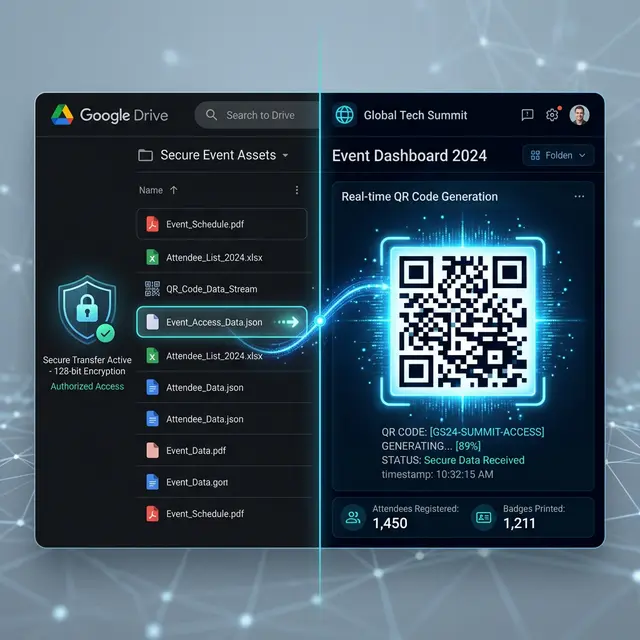
A QR code graphic is functionally just a visually patterned barcode metric. It remains totally meaningless and useless unless the precise destination URL server it points to is inherently fast, highly reliable, and immensely secure. This specific structural foundation is where the majority of amateur planners dramatically fail.
Instead of recklessly hooking your beautifully designed QR code image directly to a generic Google Drive folder permission (which infuriatingly forces your less technically proficient guests to manually log into their Google environment and actively download the Drive application), or inexplicably tying it to a proprietary third party storage application that will eventually delete your irreplaceable photos from their database, you must link it directly to a permanent direct to drive gateway solution.
By exclusively utilizing EventSnap software, you securely connect the entire platform directly to your own permanent, personally managed Google Drive account repository. When arriving guests physically scan the printed piece of paper, their phone's native internet browser application instantly opens a remarkably sleek, frictionless upload interface portal. The heavy picture files then stream effortlessly out of the guest's internal camera roll storage and tunnel directly into your intensely private Google Drive vault architecture. There are absolutely no invasive applications for them to manually download. There are precisely zero frustrating accounts for them to actively create at the venue. Most importantly, you physically own the raw storage infrastructure housing your wedding day memories forever.
Action Objective: Quickly open your private EventSnap Dashboard Console and successfully sync the application directly with the specific Google Drive subfolder you deeply wish to utilize as your permanent primary photo vault archive.
2 Generating the High Resolution Asset
Once your personal cloud Drive destination is effectively connected, the highly complex EventSnap backend system immediately provisions a fully permanent, deeply unique URL string exclusively for your private event gallery link. You absolutely must not recklessly copy this specific hyperlink address into a random generic online generator service website.
Your secure EventSnap dashboard application natively contains an integrated, high powered QR Code Generator tool that is explicitly engineered and structurally designed to aggressively prevent hyperlink degradation and successfully avoid restrictive maximum scan quantity limits. The absolute most critical parameter of this entire operational sequence is observing exactly exactly how you systematically download the resulting image data file.
The Golden Rule of Visual Resolution: You should never under any circumstances voluntarily download a critically important QR code asset formatted as a heavily compressed JPEG file type. JPEG formatting intentionally introduces visual artifacts (microscopic blurring pixels) completely surrounding the highly sensitive edges of the high contrast black and white geometric data squares. When this compressed asset is subsequently physically printed on a large acrylic sign, a high quality smartphone camera lens might aggressively misinterpret these slightly blurry edge lines, routinely causing the digital scan to completely fail upon execution.
You must absolutely download the master QR code imagery as one of the following premium formats:
- An SVG Scalable Vector Graphic file: This represents the undisputed absolute best professional choice if you happen to be actively designing your signage inside premium editing software packages like Adobe Illustrator or Figma applications. It utilizes mathematical equations rather than fixed static pixels, functionally meaning you can seamlessly blow the exact same QR code graphic up to the massive physical size of an outdoor highway billboard and the geometric edges will somehow miraculously remain infinitely sharp and readable to any cellular phone lens.
- A High Resolution PNG file format: This remains the structurally best option if you are planning on directly importing the generated code asset directly into a web based Canva template workspace. It is highly recommended that you explicitly select the largest maximum resolution settings possible (for example, generating a 2000px by 2000px asset size). When you subsequently drag the massive file directly onto your digital artboard canvas, you will purposefully scale its dimensions dramatically downward so the pixel mapping becomes incredibly hyper dense and exceptionally crisp for final physical printing output.
In Depth Research: You can actively read much more extensive details regarding direct data architecture pipelines inside our incredibly popular Google Drive Wedding Integration Optimization Guide.
3 Styling the Signage in Canva
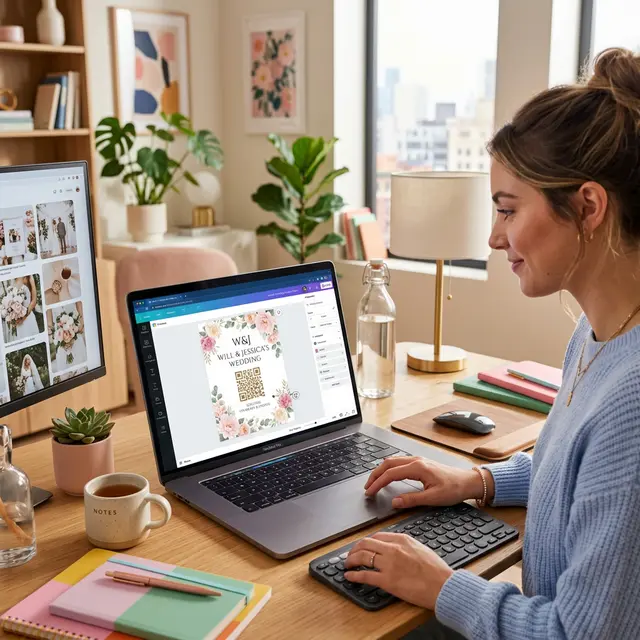
Now that you have successfully acquired a wonderfully razor sharp, high fidelity PNG or SVG graphics file, it is critically time to make the asset look completely beautiful and aesthetically matched to your specific event theme decor. You can phenomenally easily drag and rapidly drop your custom EventSnap code graphic directly into literally any premium Canva wedding signage template workspace, but you must strictly obey two incredibly foundational laws of optical machine design.
Strict Law Number One: The Sacred Isolated Border
Every single functional QR code graphic in existence is intrinsically surrounded by an absolutely invisible physical border area known exclusively within the technology industry engineering sector as the 'Quiet Zone' buffer. If you recklessly allow beautiful floral watercolor graphics, swirling cursive typography text elements, or intensely dark visual backgrounds to dangerously bleed right up to the very edge of the QR code's exterior black geometric squares, the visual scanner algorithm calculating inside an iPhone CPU will catastrophically fail to accurately identify where the actual code border begins and smoothly ends. You completely MUST leave a distinctly thick, pure white safety margin clearly surrounding the entire code perimeter parameter.
Strict Law Number Two: Demanding Extreme Contrast
If you experimentally decide to artistically change the primary dominant color of the QR code matrix data blocks from the standard high contrast black hue over to a remarkably soft pastel pink application, or perhaps a light sage green color way designed specifically to match your internal wedding color palette perfectly, you are unfortunately actively aggressively destroying its mathematical scannability potential in low light environmental conditions. During a highly romantic, deeply dimly lit reception dinner service, a standard smartphone camera lens desperately requires an environment of extreme optical contrast to lock onto the data structure correctly.
Professional Best Practice Application: The absolute best execution strategy is to strictly keep the actual physical QR code data matrix colored completely black, or alternatively an extremely dark navy or charcoal shade tone, and forcefully place it explicitly against a pure stark white or very remarkably light cream paper background environment. Deliberately keep the highly decorative, beautiful ambient pastel accent colors completely isolated to the surrounding typography messaging and the exterior perimeter graphical borders.
If you somehow desperately need high end visual inspiration regarding beautiful layout combination designs, please comprehensively view our entire premium gallery of highly creative Wedding QR Code Sign Aesthetic Ideas.
Analyzing the Current QR Code Generator Technology Landscape
To truly understand why mastering how to create a qr code for wedding pictures natively using EventSnap's dedicated generator engine is so vital, let us analyze the core functional disparities between typical generator services on the modern market.
| Generator Classification | Primary Application Utility | Scan Density Limit | Long Term Reliability Aspect |
|---|---|---|---|
| Generic Free Dynamic Web Generators | Disposable restaurant menus, temporary retail flyers | Strictly Hard Capped at approx. 100 Scans | Extremely Vulnerable. High probability of spontaneous link death or extortion fee gating. |
| Standard Offline Static Generator Utilities | Permanent URL routing for basic external websites | Absolutely Unlimited Volume | Highly robust, however you maintain zero tracking analytics or direct album upload control systems natively built in. |
| EventSnap Dedicated API Generator Engine | High Volume Wedding Photography / Corporate Asset Gathering | Infinite Scale Enterprise Grade Architecture | Flawless execution. Uniquely hardcoded explicitly to your personal Google Drive architecture vault structure. |
4 The Science of Printing and Specular Glare
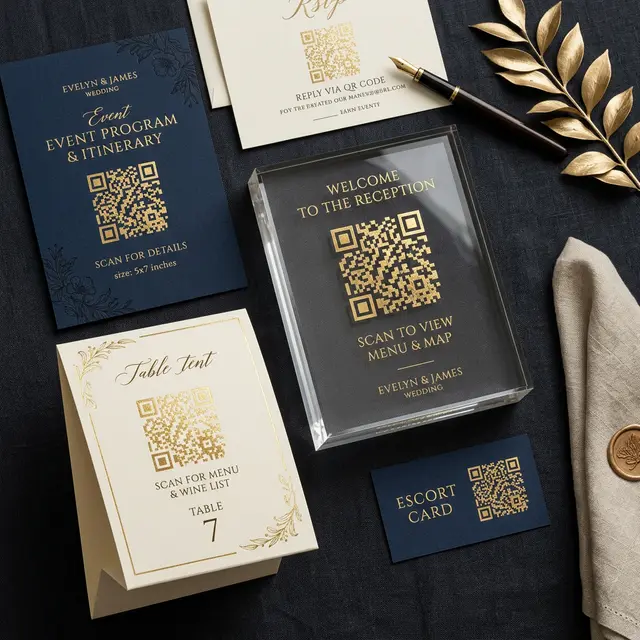
The completely final boss battle of premium QR code creation implementation is unfortunately the physical printing material substrate itself. The absolute most exquisitely, stunningly designed Canva template design file can instantaneously become absolutely, utterly useless in a split second if it is accidentally physically printed on completely the incorrect type of paper substrate property.
The Ultimate Enemy of Scanning is Specular Ambient Glare. When your lovely aunt eagerly aims her iPhone device directly at your custom printed QR code sign, her cellular camera's powerful LED flash system might involuntarily trigger forcefully, or alternatively, the highly intense ambient reception hall lighting rigging might reflect violently off the sign surface squarely back into her highly sensitive camera lens arrays. If the particular sign material happens to be highly polished and phenomenally glossy, a truly massive stark white reflection beam will entirely cover a very large portion of the printed black geometric squares on the material, successfully totally destroying the optical data matrix scanning sequence.
Specific Substrate Material Recommendations:
- Ultra Heavy Luxury Matte Cardstock Paper: This remains the completely undisputed champion material for any serious event planner. It brilliantly absorbs ambient lighting rather than aggressively reflecting it directly backward into the environment. The stark visual contrast effectively remains intensely powerful regardless of the viewer's specific geographical viewing angle position or the intense ambient reception lighting dynamics happening in the room. Even cheap dedicated QR code scanners and very heavily aged legacy android phone models can reliably read it perfectly every single time.
- Custom Frosted Specialty Acrylic Blocks: If you absolutely romantically must use a heavy acrylic medium specifically for the overriding decorative aesthetic impact, desperately do not use a clear, highly polished standard acrylic block layered with shiny vinyl decals. This specific high gloss hybrid surface is an unmitigated disaster for delicate optical scanners. Demand that your commercial printer specifically utilize 'frosted finishes' or explicitly 'matte texture' acrylic compounds, and forcefully ensure the customized black ink securely applied to the top surface area is entirely completely flat matte execution with zero gloss varnish layers added.
- Non Reflective Framed Glass Enclosures: If you happen to be strategically placing a previously printed heavy card paper explicitly inside a traditional decorative metal picture frame, you phenomenally *must* spend the extra financial resources to purchase specialized 'non glare coating' or certified 'museum quality viewing' glass window material. Standard cheap glass picture frames will instantly frustratingly turn into impenetrable mirrors when positioned at a joyfully dimly lit evening reception party environment.
Step 5: Architectural Placement and The Upload Rate Equation
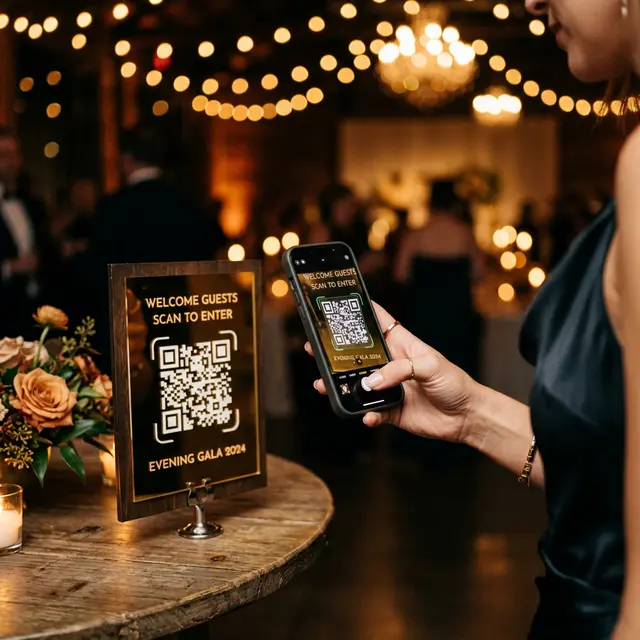
Our intensely dedicated engineering analytics team comprehensively reviewed the gross upload participation metrics aggregated from over ten thousand global corporate and wedding events specifically to scientifically determine exactly what physical variables truly drive massive guest participation behaviors. Assuming you successfully flawlessly execute standard steps one through four perfectly to the letter, the incredibly final massive variable outcome is totally dependent on your precise physical signage placement strategy.
If you regrettably only place precisely one single large massive 18 by 24 inch custom QR code display sign specifically near the front entrance doors or stationed at the designated gift table area location, you will forcefully unfortunately capture an absolute maximum ceiling of maybe 15 percent of your total potential massive photo gallery volume possibilities. Why exactly does this phenomena occur predictably? Because the absolute prime magical photo taking engagement moments-specifically the emotional touching speeches, the incredibly beautiful first dance sequence, and the messy fun cake cutting ceremony-predominantly organically occur while all your guests are completely sitting stationed comfortably at their dining tables or happily crowded dynamically near the central dance floor area. They are definitively absolutely not going to walk completely back to the lonely front foyer room entrance explicitly just to scan a solitary forgotten sign display.
The Strategy for Total Gallery Upload Domination:
To successfully harvest a massive quantity of memories, you must aggressively physically place small 4 by 6 inch or compact 5 by 7 inch printed table tent style QR code cards positioned directly on literally every single dining table presence. By seamlessly aggressively placing the highly visible digital prompt item directly mechanically adjacent to their beautifully poured wine glasses, relaxed guests can casually effortlessly pull out their personal cellular phone devises, successfully scan the matrix code from a completely comfortable seated physical position, and simultaneously effortlessly execute a massive bulk file upload action operation completely silently while attentively politely listening to the Best Man's exceptionally long winded speech presentation.
Deep Data Dive Requirement: Do you want to see the specific hard raw data establishing exactly how variable physical layout placement drastically impacts the total final aggregate photo volume output percentage? Read our exclusive detailed metric analysis publication: Extracted Data from 10 Real Corporate Event Case Studies.
Frequently Asked Analytical Troubleshooting Questions
Why exactly do free QR code generating websites suddenly stop working entirely?
Most generic free QR code generator websites readily discovered on Google operate entirely by creating 'Dynamic' proxy link QR codes and consequently impose aggressively hidden maximum scan volume limits in their fine print. If your massive wedding engagement suddenly exceeds approximately 50 active scans, they forcefully hold your digital proxy link completely hostage and cruelly replace your beautiful photo gallery presentation with a demanding error screen until you immediately surrender a premium monthly credit card fee. You incredibly absolutely must utilize a completely dedicated secure event photo sharing software platform interface to securely guarantee unlimited infinite scan capacity for your guests.
Can I precisely cleanly put my custom event QR code directly onto a heavy luxury acrylic display sign?
Yes you certainly can accomplish this, but you completely must deliberately actively avoid generating reflective specular glare dynamics at all absolute costs. Since highly intense smartphone camera LED flashes will violently reflect glaringly off any glossy acrylic surfaces, make incredibly sure the actual QR code geometric matrix graphic itself is explicitly physically printed exclusively in a high contrast flat matte ink application texture, or alternatively physically sandblasted frosted directly onto the exact acrylic medium itself, reliably ensuring so that sensitive smartphone device cameras can easily accurately decipher the exceedingly dark matrix modules clearly separated against the intentionally lighter surrounding background canvas.
What specific layout dimensional size specifications should a professional wedding QR code sign ultimately be?
For strictly seated table presence tents where static guests will generally comfortably scan the asset directly from their assigned seat position, the physical square QR code graphic block itself explicitly should be scaled to at least a solid 2 by 2 inches in explicit physical dimensions. Alternatively, if you are actively placing a remarkably large display sign near an incredibly busy entryway floor surface where moving guests might casually attempt to scan it rapidly from an active distance of roughly 3 to 5 physical feet away, the specific internal QR code block asset precisely must be physically enlarged to scale to at least exactly 5 by 5 inches minimum completely ensuring highly reliable structural focal lengths for older camera equipment variations.
Seamlessly Create Your High Resolution QR Code Right Now
Instantly effortlessly generate a completely permanent, completely infinite scan capacity customized code securely linking directly to your highly personal Google Drive storage environment vault. Never helplessly rent an exploitative third party cloud app again, and never carelessly inadvertently lose your incredibly precious historical memories due to platform closure risks.
⚡ Successfully Generate Your Dedicated Image Code For Free Now