Permanent QR Code for Events: How to Print One QR and Reuse It Forever

April 3, 2026 · 7 min read . Last updated: Apr 10, 2026
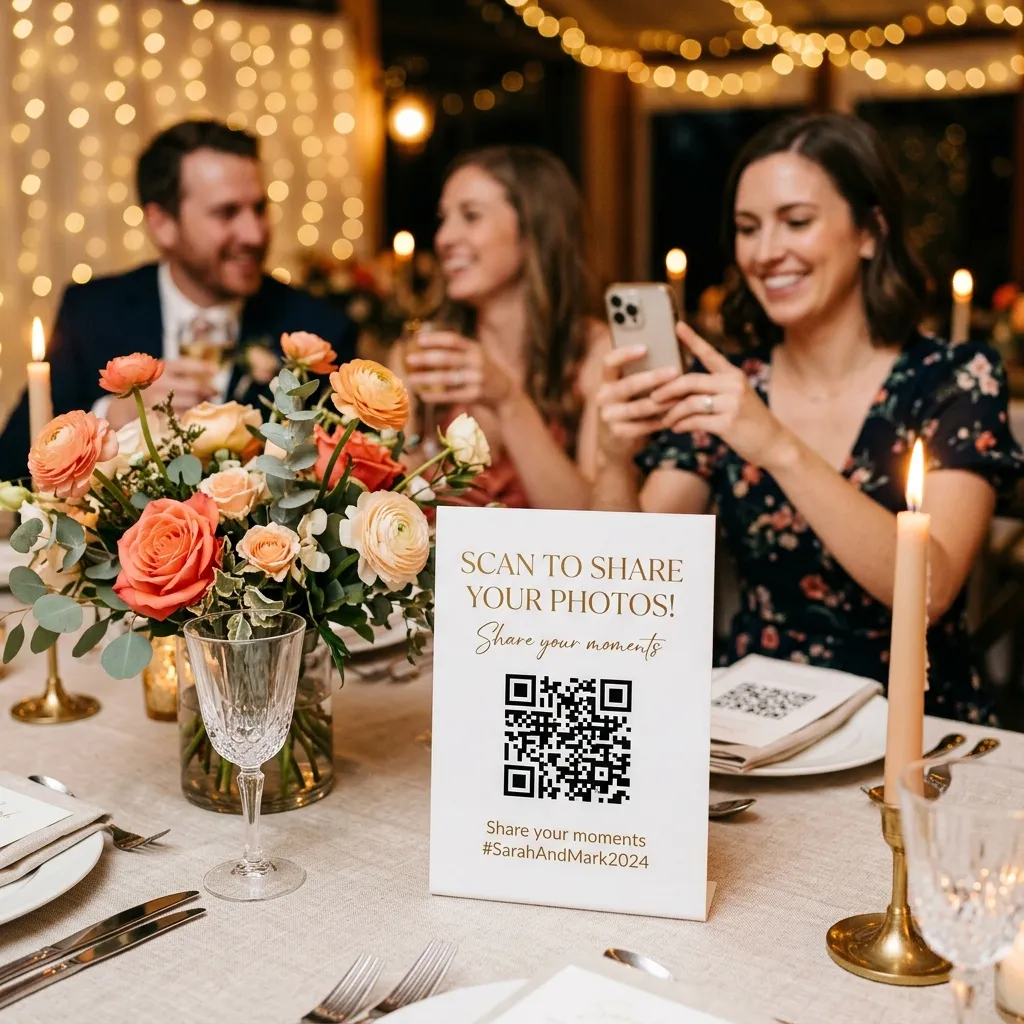
Quick Answers: Permanent QR Codes for Events
What is a permanent QR code?
A permanent QR code is a single, reusable QR code tied to your account rather than a specific event. You print it once. Before each event, you switch which event it points to. Guests always scan the same code.
Can I reuse one QR code for multiple events?
Yes. With EventSnap's Unlimited plan, you generate one permanent QR code and reuse it across every event you run. Just update the target event in your dashboard before each gathering.
Does it replace my regular event QR codes?
No. Your individual event QR codes keep working independently. The permanent QR is an additional smart shortcut for printed materials you carry from event to event.
If you run more than one event a year, you already know the drill: create the event, generate the QR code, design the signage, send it to print, and hope the new stickers arrive before the venue setup. Now multiply that by ten events. Or twenty. The printing costs add up, and frankly, the process gets tedious fast.
That's exactly why we built the permanent QR code feature for EventSnap. It's a single QR code you print once and reuse across every event, forever. Before each event, you simply tell the code where to point. That's it. No reprinting. No new signage. No waste.
The Problem With Disposable QR Codes
Most QR code photo sharing tools generate a new, unique QR code for every event. That makes sense for one-off occasions like a wedding, but it creates real headaches for anyone who runs events regularly:
- Printing costs: Professional signage, acrylic table stands, banners, and welcome cards all need to be reprinted every time the QR code changes.
- Lead time pressure: You need the new materials printed and shipped before the event date, adding logistics stress to an already busy schedule.
- Environmental waste: Perfectly good signage materials end up in the bin after a single use because the QR on them is now dead.
- Brand inconsistency: Different signs at different events look fragmented. A consistent, recognizable setup builds trust with returning guests.
For wedding planners, corporate event coordinators, venue managers, and conference organizers, these aren't minor annoyances. They're operational friction that eats into margins and time. The best solution is a permanent QR code that stays the same while the destination changes.
How a Permanent QR Code Works in EventSnap
The concept is simple: instead of tying a QR code to a specific event, we tie it to your account. The QR code itself never changes. What changes is a redirect rule on our side that tells incoming scans where to go.
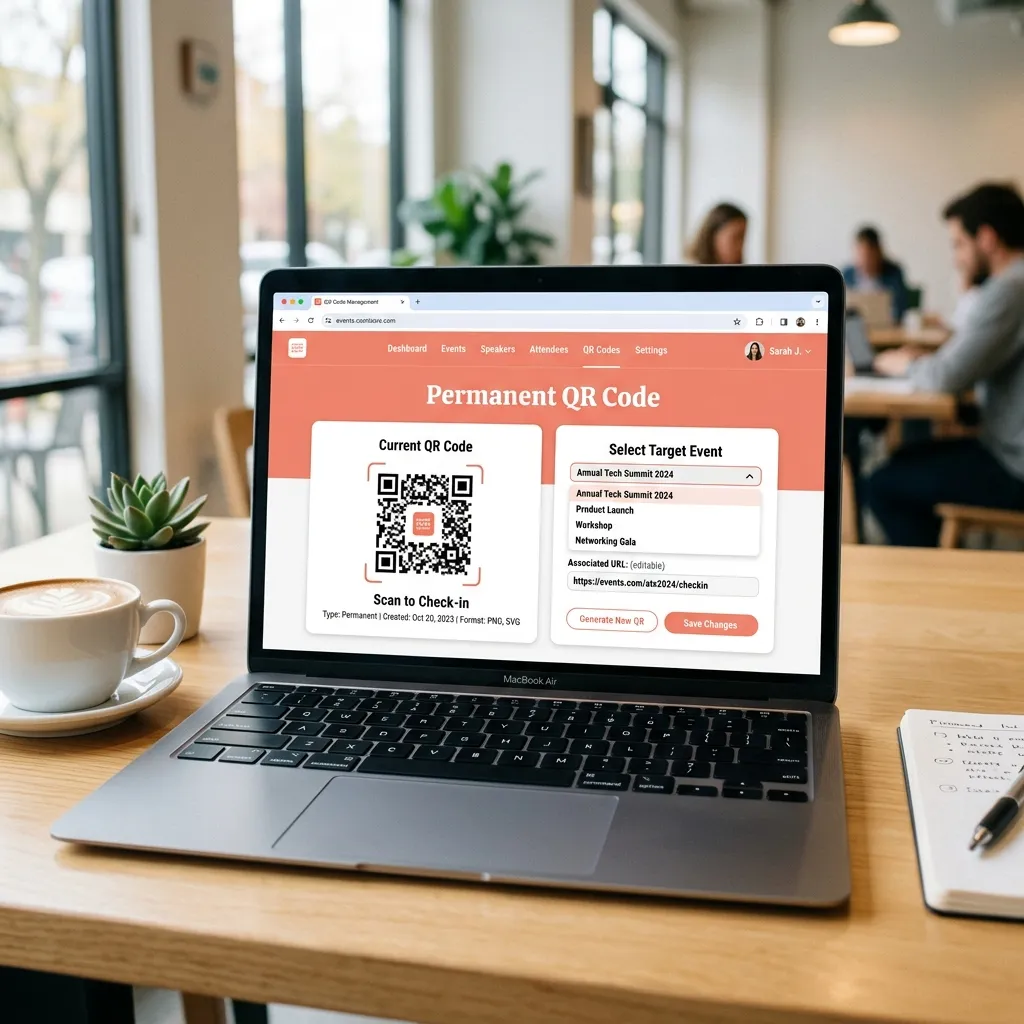
Here's how the flow works in practice:
- Activate your permanent QR: On your EventSnap dashboard, click "Activate" in the Permanent QR Code section. A unique, account-level QR code is generated instantly.
- Print it on your materials: Download the QR as a high-resolution PNG and print it on whatever you use at events: acrylic table signs, banners, welcome cards, lanyards, or even custom stickers. This is the last time you'll ever print this QR.
- Before each event, switch the target: In your dashboard, use the dropdown to select which event the permanent QR should point to. Takes about three seconds.
- Guests scan and upload: When guests scan your permanent QR, they're seamlessly redirected (via a 302 redirect) to the current event's upload page. They see the event name, the custom branding you've set up, and can start uploading immediately.
The redirect is instant. Guests never see an intermediate page or feel any delay. From their perspective, the QR simply opens the upload page for tonight's event.
Who Benefits Most From a Permanent QR Code
While anyone on the Unlimited plan can use this feature, it delivers the most value to people who run events repeatedly and have invested in physical branded materials:
| Role | How They Use It | What They Save |
|---|---|---|
| Wedding Planner | Same acrylic signs at every wedding they coordinate | Printing costs for 20+ events per year |
| Corporate Event Manager | Consistent branded signage across quarterly team events | Lead time, design iterations, vendor coordination |
| Venue Owner | Permanent table signs in the venue, switched per booking | Zero per-event printing cost; signage is part of the venue |
| Conference Organizer | Fixed banners and badge inserts across annual conferences | Material waste, rush printing fees |
| Photographer | One QR on business cards handed to every client | No per-client QR printing; cards last forever |
Permanent QR vs. Event Specific QR: When to Use Which
Your permanent QR code doesn't replace event-specific codes. They serve different purposes and work best together:
| Feature | Permanent QR Code | Event Specific QR Code |
|---|---|---|
| Tied to | Your account | A single event |
| Changes between events | No (you switch the target) | Yes (new code each time) |
| Best for | Printed signage, cards, permanent fixtures | Digital invitations, one-time materials |
| Requires reprinting | Never | Every event |
| Available on | Unlimited plan | All plans |
The most effective workflow is to use your permanent QR code on all physical materials (signs, stands, cards) and use event-specific QR codes for digital channels (email invitations, WhatsApp messages, social media posts). This way, your printed assets never expire and your digital links are always contextually relevant.
Step by Step: Setting Up Your Permanent QR Code
The entire setup takes under 60 seconds. No technical knowledge required.
- Sign up for EventSnap: Head to eventsnap.co/get-started and create a free account with your Google login. Then upgrade to the Unlimited plan ($19.99/month).
- Open your dashboard: After creating at least one event, you'll see the "Permanent QR Code" section on your dashboard.
- Click Activate: A modal explains how the feature works. Click "Activate Now" and your unique permanent QR is generated immediately.
- Download and print: Use the "Download" button to grab the high-res PNG. Take it to your local print shop or upload it to your favorite online printing service.
- Switch targets anytime: Before each event, open the dropdown and select the event you want. The change takes effect instantly. No cache delay, no propagation wait.
If you don't select a target event (or the target event is paused), guests scanning the QR will see a friendly message letting them know the host hasn't set up the event yet. No broken pages, no confusing errors.
What Happens If I Downgrade My Plan
We designed this feature with real-world constraints in mind. If you downgrade from the Unlimited plan:
- Your permanent QR slug is not deleted. Any printed materials with the code remain valid.
- The redirect simply stops working until you re-upgrade. Guests will see a friendly "no active event" page.
- If you re-upgrade later, the same QR code reactivates automatically. You never need to reprint.
This matters because we know you've spent real money printing that signage. Deleting your QR on downgrade would punish you unfairly. We'd rather make it easy to come back.
Printing Tips for Your Permanent QR Code
Since this QR code is going to live on your materials for a long time, quality matters. A few practical tips from event planners who've done this:
- Print at minimum 300 DPI. The downloaded PNG from EventSnap is high-resolution and handles this easily.
- Use durable materials. Acrylic stands, frosted glass signs, or laminated cardstock hold up much better across multiple events than paper prints.
- Keep the QR code at least 3cm × 3cm. Smaller than that and some older phone cameras struggle to scan reliably.
- Add a clear call to action. Pair the QR with text like "Scan to share your photos" or "Upload your memories here." Guests are more likely to scan when they understand what the code does.
- Consider custom QR colors. EventSnap lets you customize the foreground and background colors of your event QR codes to match your branding.
Frequently Asked Questions
Is the permanent QR different from a dynamic QR code?
Technically, yes. A "dynamic QR code" is a marketing industry term for QR codes where the destination URL can be changed after printing. EventSnap's permanent QR works on the same principle, but it's purpose-built for event photo sharing. The QR always points to your unique EventSnap upload URL. What changes is which event receives those uploads.
Can multiple people scan the permanent QR at the same time?
Absolutely. There's no limit on simultaneous scans. Whether 5 guests scan it or 500, they'll all land on the same event upload page and can upload concurrently. EventSnap handles the load.
Can I customize what the QR looks like?
Currently, the permanent QR code uses EventSnap's standard styling. You can customize the colors of individual event-specific QR codes, and custom permanent QR styling is on our roadmap.
What happens if I forget to switch the target event?
Nothing catastrophic. Guests would be directed to whatever event was last selected. Just make it part of your pre-event checklist: update the target from your dashboard before setup day. It takes three seconds.
Stop Reprinting. Start Reusing.
One QR code for every event you'll ever run. Activate your permanent QR code today and save hundreds on print costs.
🎉 Get Started Free
Wedding & Event Technology Specialist. Elena covers event photo-sharing trends, Google Drive workflows, and the tools that help hosts collect every memory.
Keep Reading
The complete 2026 guide to every feature across all plans.
Collect 500+ Wedding Photos With Zero AppsHow EventSnap helps couples collect every guest photo without downloading anything.
Best Free QR Code Photo Sharing Apps 2026An honest comparison of QR-based photo sharing tools on the market this year.