 📋 Complete Guide
Every Feature You Get with EventSnap: The Complete 2026 Guide to QR Code Event Photo Sharing

Quick Answers: EventSnap Features
What features does EventSnap include?
EventSnap includes QR code photo and video sharing direct to Google Drive, a live photo slideshow, digital guestbook, password protection, custom branding, event scheduling, gallery lock, content moderation, and a real-time dashboard. A free plan is available with up to 50 uploads.
Is EventSnap free to use?
Yes. The Starter plan is completely free forever with up to 50 uploads, QR code sharing, and Google Drive sync. No credit card required.
Do guests need to download an app?
No. Guests scan a QR code with their phone camera and upload directly from the browser. No app, no account, no login required.
Choosing an event photo sharing platform in 2026 means comparing dozens of apps, each burying their features behind confusing pricing tiers. You want a straightforward answer: what exactly do I get, and how much does it cost?
This guide breaks down every single feature included in EventSnap, the QR code photo sharing platform that sends all your event photos and videos directly to your personal Google Drive. Whether you're planning a wedding, corporate event, birthday, baby shower, or family reunion, you'll know exactly what tools are at your fingertips before you create your first event.
How EventSnap Works: 30 Second Setup
Before diving into individual features, here's the core concept. EventSnap is a browser-based platform. No app downloads are needed for hosts or guests. The workflow is simple:
- Sign in with Google and create an event. A dedicated folder is auto-created in your Google Drive.
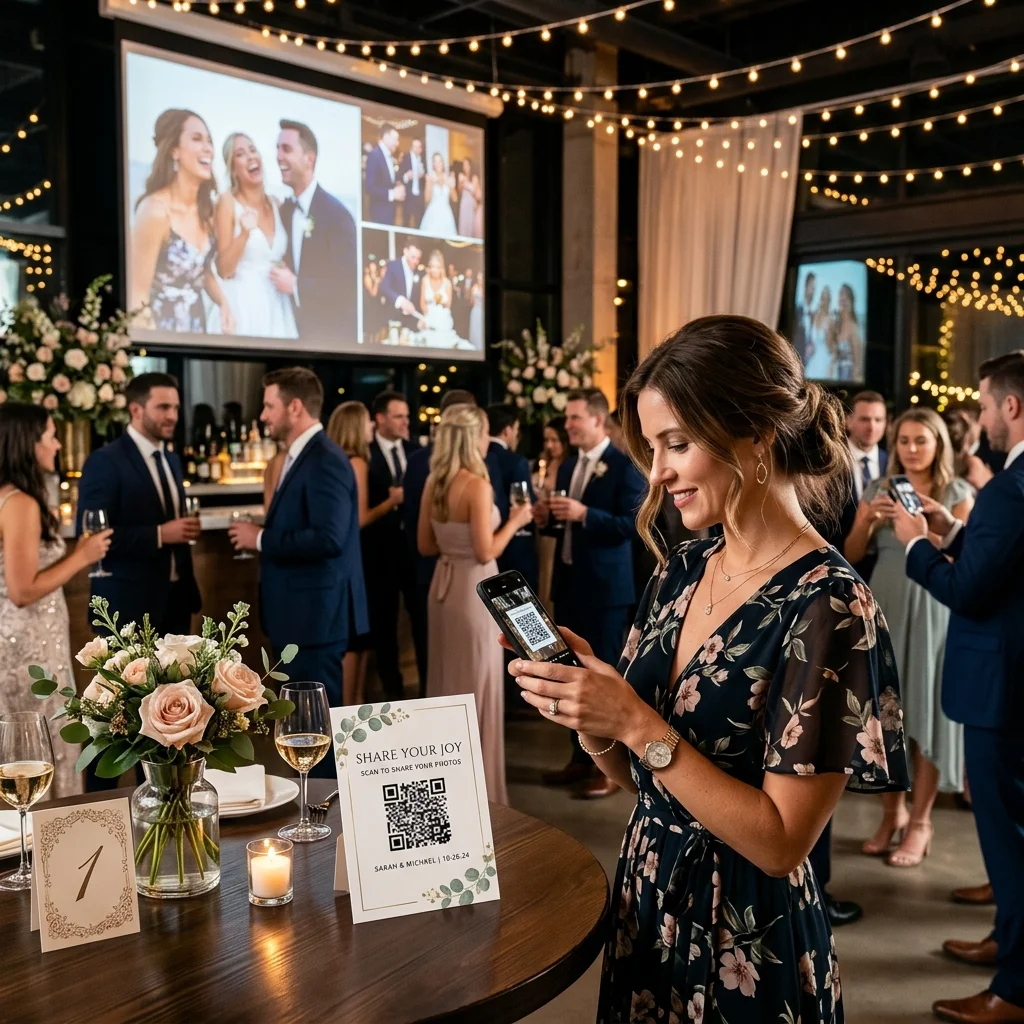
- Share your unique QR code. Print it on table cards, display it on a screen, or send the link directly.
- Guests scan and upload. They pick photos and videos from their camera roll and tap upload. That's it.
- Files land in your Drive. Full-resolution photos and videos appear in your personal Google Drive folder instantly.
The entire setup takes under 60 seconds. No guest accounts, no login screens, no app store visits. Now let's look at every feature you unlock.
QR Code Photo and Video Sharing
The foundation of EventSnap is the QR code-driven upload experience. Every event you create generates a unique QR code that guests can scan with any smartphone camera. This opens a beautiful, mobile-optimized upload page directly in their browser.
- Universal device support: Works on iPhone, Android, tablets, and any device with a camera and browser. Safari, Chrome, Firefox, Samsung Internet - all supported.
- Supported file formats: JPG, PNG, HEIC, WebP photos and MP4, MOV, AVI videos.
- File size limits: Up to 100MB per file on the free Starter plan. Up to 1GB per file on paid plans, which handles full-length 4K wedding videos without compression.
- Drag and drop: On desktop browsers, guests can drag files directly onto the upload area.
- Batch uploads: Guests can select and upload multiple files at once rather than one at a time.
There is zero friction in this process. QR code literacy reached near-universal adoption after the pandemic, and EventSnap leverages that behavior. Guests don't need to install anything. They scan, pick their photos, and tap upload. The average upload takes about 15 seconds from scan to completion.
Direct Google Drive Integration
This is what fundamentally separates EventSnap from every competitor on the market. When guests upload photos, those files don't land on EventSnap's servers. They go directly into your personal Google Drive.
- You own everything: Your photos are stored in your own Google account, secured by Google's enterprise-grade infrastructure. If EventSnap disappeared tomorrow, you'd still have every single photo.
- No expiring galleries: Unlike GuestPix (12-month hosting window), Kululu (7-day to 12-month storage), or Wedibox (limited hosting periods), your photos in Google Drive never expire and never get deleted.
- Auto-created folders: When you create an event, EventSnap automatically generates a dedicated folder in your Drive to keep everything organized.
- No storage fees from EventSnap: You use your own Google Drive storage (15GB free with every Google account, expandable with Google One).
- Instant access: You can literally watch photos appear in your Drive folder in real time while you're at the reception table.
This is the permanent photo storage approach we've been advocating since day one. Don't rent your memories. Own them.
Live Photo Slideshow for Events
One of the most requested features since launch, the Live Slideshow transforms any screen, projector, or TV at your venue into a dynamic photo wall that updates in real time. As guests upload photos via the QR code, those images automatically appear in the slideshow rotation.
- Auto-refresh technology: New photos are pulled into the slideshow queue automatically. No manual intervention needed.
- Configurable speed: Set the slideshow speed anywhere from 3 to 30 seconds per photo to match your event's energy.
- Smooth transitions: Built with elegant fade animations that make every candid snapshot look cinematic on the big screen.
- Engagement multiplier: When guests see their friends' photos appearing on the venue's screens, they're motivated to upload more. This creates a viral loop that can triple your total photo count.
We covered the slideshow feature in depth in our Spring 2026 product update. It's available on the Single Event and Unlimited plans.
Digital Guestbook with Guest Messages
Forget the traditional guestbook that collects dust on a shelf. EventSnap includes a built-in digital guestbook where guests can leave written messages alongside their photo uploads.
- Integrated experience: The guestbook lives on the same upload page guests already have open. Zero extra friction.
- Guest names and captions: On paid plans, guests can attach their name and a caption to every photo and video they upload. This means you'll know exactly who took each shot and what they were thinking.
- Persistent messages: All guestbook entries are timestamped and stored alongside your event data. Revisit them anytime.
The guestbook feature is available on all plans, including the free Starter. Guest names and captions on individual uploads require the Single Event or Unlimited plan.
Password Protected Events
Need to restrict who can access your event's upload page? Password protection lets you set a custom password that guests must enter before they can view or upload photos.
- Perfect for corporate events: Keep internal company photos private. Only employees with the password can participate.
- VIP control: Ideal for exclusive dinners, private parties, or events where you don't want random QR code scanners uploading content.
- Secure verification: Passwords are securely hashed using industry-standard bcrypt encryption.
Available on the Single Event and Unlimited plans.
Custom Branding and Upload Page Personalization
Your event's upload page should feel like your event, not a generic tech platform. EventSnap's custom branding suite gives you full control over the guest-facing experience:
- Custom accent color: Match your wedding palette or corporate brand colors.
- Background color: Set a unique background tone for the entire upload page.
- Hero emoji: Replace the default camera icon with any emoji that represents your event (🎂 for birthdays, 💍 for weddings, 🎓 for graduations).
- Hero title override: Change the main heading guests see when they scan your QR code.
- Cover image: Upload a custom hero image (your engagement photo, company logo, event banner) that appears at the top of the upload page.
- Custom CTA text: Change the call-to-action button text from the default to something personal like "Share Your Memories with Sarah & Mark!"
- Welcome message: Display a personalized greeting that guests see before they start uploading.
These branding options are available on the Single Event and Unlimited plans. The level of customization you get for $9.99 one-time is unmatched by competitors charging $39-$99.
Custom QR Code Design
Beyond the upload page itself, paid plans unlock QR code customization so the code you print on table cards, signs, and invitations matches your event's aesthetic. Combined with our free QR code templates, you can create beautiful, print-ready signage in minutes.
Event Scheduling with Start and End Times
Want uploads to only be accepted during specific hours? Event scheduling lets you define a precise start and end time for your event. The upload page will automatically:
- Block early uploads: If someone scans the QR code before the event start time, they'll see a friendly "event hasn't started yet" message.
- Auto-close after the event: Once your end time passes, the upload page gracefully closes. No lingering uploads days later.
- UTC-based timezone handling: All scheduling logic uses UTC to ensure accuracy regardless of where your guests are located.
This is especially valuable for corporate events where you need tight control over the upload window. Available on Single Event and Unlimited plans.
Gallery Lock for Host Control
Gallery Lock is an Unlimited plan exclusive that gives hosts the power to hide the photo gallery from guests while keeping the upload functionality active. This means guests can continue uploading photos throughout the event, but they can't browse the gallery until you unlock it.
- Build anticipation: Reveal all photos after the event for a "big reveal" moment with your guests.
- Content control: Review everything before making the gallery visible.
- One-click toggle: Enable or disable gallery lock instantly from your dashboard.
Real Time Upload Tracking Dashboard
Your host dashboard is your command center for every event. From here you can monitor everything happening in real time:
- Upload count and total size: See exactly how many photos and videos have been uploaded and their combined file size.
- Activity log: A timestamped record of every upload with file names, guest names (if provided), file sizes, and upload status.
- Event management: Toggle events active/inactive, enable slideshow, configure branding, set passwords, and manage scheduling - all from one screen.
- Multi-event overview: Unlimited plan users can manage all their events from a single dashboard.
Content Moderation
For events where you need to review content before it becomes visible, the content moderation feature (Unlimited plan) gives you host-level approval control. This is particularly relevant for large corporate gatherings or public-facing events where inappropriate uploads could be a concern.
Permanent QR Codes for Repeat Events
If you're an event planner who runs multiple events throughout the year, the Permanent QR Code feature (Unlimited plan) lets you reuse a single QR code across different events. Instead of printing new signage for every gathering, you keep the same QR code and simply switch which event it points to from your dashboard. This saves money on printed materials and simplifies your workflow.
- One QR, every event: Generate a single permanent QR code tied to your account. Print it on a sign, acrylic stand, or business card and never reprint it again.
- Instant switching: Before each event, select the target event from a dropdown in your dashboard. Guests scanning the QR are automatically redirected to the right upload page.
- Works alongside event QR codes: Your individual event QR codes remain fully functional. The permanent QR is an additional smart shortcut on top.
Starter Upload Add-on Packs
On the free Starter plan, you're limited to 50 uploads. But if your small event needs a bit more capacity without upgrading to a full paid plan, you can purchase one-time upload add-on packs:
| Add-on | Extra Uploads | Price (USD) | Price (EUR) |
|---|---|---|---|
| Starter +100 | +100 photos | $2.99 | €2.99 |
| Starter +150 | +150 photos | $3.99 | €3.99 |
| Starter +200 | +200 photos | $5.99 | €5.99 |
These stack on top of your free 50-upload limit, so buying the +100 add-on gives you 150 total uploads. Each add-on is a one-time purchase with no subscription.
EventSnap Pricing Plans and Feature Comparison
Here's the complete breakdown of what you get on each plan. No hidden fees, no per-guest charges, no surprise auto-renewals.
| Feature | 🌱 Starter (Free) | 🎉 Single Event ($9.99) | 🚀 Unlimited ($19.99/mo) |
|---|---|---|---|
| Events | 1 | 1 | Unlimited |
| Uploads per event | 50 (expandable via add-ons) | Unlimited | Unlimited |
| Max file size | 100MB | 1GB | 1GB |
| QR Code | ✅ Standard | ✅ Custom design | ✅ Custom + Permanent |
| Google Drive Sync | ✅ | ✅ | ✅ |
| Digital Guestbook | ✅ | ✅ | ✅ |
| Guest Names & Captions | ❌ | ✅ | ✅ |
| Password Protection | ❌ | ✅ | ✅ |
| Live Slideshow | ❌ | ✅ | ✅ |
| Custom Branding | ❌ | ✅ | ✅ |
| QR Code Customization | ❌ | ✅ | ✅ |
| Event Scheduling | ❌ | ✅ | ✅ |
| Gallery Lock | ❌ | ❌ | ✅ |
| Content Moderation | ❌ | ❌ | ✅ |
| Permanent QR Code | ❌ | ❌ | ✅ |
| Priority Support | ❌ | ❌ | ✅ |
Full pricing details, including EUR conversion, are available on our pricing page.
How EventSnap Compares to Other Event Photo Sharing Apps
The 2026 event photo sharing market includes platforms like GuestPix, Kululu, Wedibox, and GuestCam. Here's how EventSnap stacks up on the features that matter most:
| Feature | EventSnap | GuestPix | Kululu | Wedibox | GuestCam |
|---|---|---|---|---|---|
| Starting Price | Free (or $9.99) | ~$29+ one-time | Free (100 uploads) | Free (50 uploads) | Paid only |
| Storage Location | Your Google Drive | GuestPix servers | Kululu servers | Wedibox servers | GuestCam servers |
| Storage Duration | Permanent (your Drive) | 12 months max | 7 days to 12 months | Up to 5 years | 12 to 14 months |
| App Download Required | No | No | No | No | No |
| Live Slideshow | ✅ | ✅ | ✅ | ✅ | ✅ |
| Digital Guestbook | ✅ (written) | ✅ (written + video) | ✅ (text) | ✅ (audio + text) | ✅ (audio) |
| Per-Guest Fees | None | None | None | None | None |
| Data Ownership | Full (your Google Drive) | Platform-dependent | Platform-dependent | Platform-dependent | Platform-dependent |
| Gallery Expiration | Never | After hosting window | After storage period | After hosting period | After storage period |
The critical difference is data ownership. Every other platform stores your photos on their own servers with a ticking clock. EventSnap is the only platform that sends files directly to your personal Google Drive, where they stay permanently.
For detailed head-to-head comparisons, see our dedicated posts: GuestPix vs EventSnap, Kululu vs EventSnap, and Wedibox vs EventSnap.
Who Is EventSnap For?
EventSnap is designed for anyone who needs to collect photos and videos from a group of people:
- Couples planning a wedding: Collect hundreds of candid guest photos alongside your professional photographer's work.
- Birthday and milestone celebrations: Surprise parties, quinceañeras, retirement parties, anniversaries.
- Corporate event planners: Team building retreats, product launches, company parties, conferences.
- Baby shower and gender reveal hosts: Capture every reaction and guest moment.
- Family reunion organizers: Get photos from dozens of relatives without the "send it to me later" runaround.
- Memorial and celebration of life events: Collect shared memories and tribute photos in a dignified, organized way.
If people at your event have phones and you want their photos, EventSnap will get those photos into your Google Drive with zero friction.
Start Capturing Every Moment Today
Create your first event in under 60 seconds. Free Starter plan, no credit card, all photos direct to your Google Drive.
🎉 Create Your Free Event Now