 ⚖️ Comparison
Best Virtual Photo Booth Apps for Weddings 2026 (Honest Comparison)

The best virtual photo booth app for weddings in 2026 depends on whether you are a professional booth operator or a couple looking for a DIY solution. Simple Booth leads for professional operators with its HALO hardware. For couples who want a self-service, no-app-required booth on every guest's phone, EventSnap's Event Plus ($16.99 one-time) offers the lowest cost and easiest setup with direct Google Drive storage.
Quick Answers: Virtual Photo Booth Apps
What is the best virtual photo booth app for weddings?
Simple Booth is the industry standard for professional operators. EventSnap is the most budget-friendly for couples who want a self-service, browser-based photo booth. LumaBooth offers the most customization for iPad setups.
How much do virtual photo booth apps cost?
Prices range from $16.99 one-time (EventSnap) to $109/month (Simple Booth HALO). Most apps charge monthly subscriptions between $20 and $100.
Do guests need to download an app?
Not always. Simple Booth, Snapbar, and EventSnap work in the mobile browser. LumaBooth and DSLR Booth require a dedicated device but guests interact with it directly.
What Makes a Good Virtual Photo Booth
Virtual photo booths have evolved dramatically over the past few years. What started as simple camera apps with a few filters has become a sophisticated category with solutions ranging from $17 to $1,200+ per event. Before diving into the comparison, here are the six criteria that matter most when choosing a virtual photo booth for a wedding:
- Guest experience: How easy is it for guests to use? Do they need to download an app, create an account, or navigate complex settings?
- Frame and overlay quality: Does the app offer elegant, wedding-appropriate frames, or just generic novelty filters?
- Photo delivery: Where do the photos go? Are they stored on the vendor's servers, or does the couple keep permanent ownership?
- Simultaneous usage: Can multiple guests use the booth at the same time, or is there only one device?
- Hardware requirements: Does the solution require renting or purchasing physical equipment?
- Total cost: What is the all-in price including subscription fees, hardware, and per-event charges?
With these criteria in mind, here are the seven leading virtual photo booth solutions available for weddings in 2026.
The 7 Best Virtual Photo Booth Apps Compared
1. Simple Booth (HALO and Events)
Simple Booth is the most established name in the virtual photo booth space. They offer two products: HALO, which requires an iPad mounted on their proprietary ring-light hardware ($109/month + hardware purchase), and Simple Booth Events, a newer browser-based product for virtual events.
HALO is widely considered the gold standard for professional photo booth operators. The combination of the ring-light hardware, customizable overlays, and instant sharing (text, email, AirDrop) creates a polished experience. The downside is cost: the HALO hardware unit runs $3,000+ and the software subscription is $109/month, making it a tool designed for professionals who operate booths at multiple events per month.
Simple Booth Events, their browser-based alternative, works on guests' phones without an app download. It supports custom branding, GIF creation, and digital sharing. Pricing starts around $99/month for the Events plan.
2. LumaBooth
LumaBooth is an iPad-based photo booth app popular among DIY couples and professional operators who want maximum customization. It offers an extensive library of templates, green screen support, animated GIFs, boomerangs, and video recording. Pricing is a one-time purchase of around $99.99 on the App Store.
The strength of LumaBooth is flexibility: you can design extremely detailed custom templates with your wedding colors, monogram, and date. The weakness is that it runs on a single iPad, meaning only one group can use the booth at a time. Guests interact directly with the iPad screen, which works well with a tripod and ring light but creates the classic queuing problem.
3. BoothUp
BoothUp positions itself as the "easiest photo booth app" and runs on both iPads and Android tablets. It includes standard photo booth features: overlays, filters, GIF creation, and printing support (with compatible printers). Plans start at $29/month for basic functionality up to $79/month for unlimited events and advanced features.
BoothUp's interface is straightforward and works well for casual events. It supports green screen effects and has a decent template library. Like LumaBooth, it operates on a single device, limiting it to one group at a time.
4. Snapbar (Virtual Booth)
Snapbar offers a fully browser-based virtual photo booth that works on guests' phones without an app download. Guests access the booth via a custom URL or QR code, select from pre-designed frames and filters, and take a photo using their phone camera. The platform is geared toward corporate events, conferences, and brand activations.
Pricing is event-based and typically ranges from $500 to $2,000+ per event, depending on customization and guest volume. Snapbar is a premium, managed service rather than a self-service tool. They excel at branded experiences for large-scale corporate events but the price point is prohibitive for most couples.
5. DSLR Booth
DSLR Booth is a PC and Mac application that connects to a DSLR camera (Canon, Nikon, Sony) via USB. This produces the highest image quality of any photo booth solution since you are using a professional camera rather than a phone or tablet sensor. Plans start at $149 one-time for basic features, up to $349 for the Professional edition.
DSLR Booth is the go-to choice for professional photographers who want to offer a photo booth as an add-on service. The image quality is unmatched, and the template editor is robust. The trade-off is complexity: you need a laptop, a DSLR camera, a USB connection, and often a dedicated printer. This is not a self-service solution for couples.
6. GIF Booth (Animated Booth)
GIF Booth specializes in animated GIFs and boomerangs rather than static photos. Guests step in front of the camera and it captures a short burst of frames that loop as a GIF. The animations are fun, shareable, and perform well on social media. GIF Booth operates on iPads and requires the dedicated app.
Pricing starts at around $49/month. The GIF-first approach is entertaining for casual events like birthday parties and corporate events, though some couples find that static framed photos are more appropriate for wedding keepsakes. GIF Booth does not offer static photo frame overlays.
7. EventSnap (Event Plus)
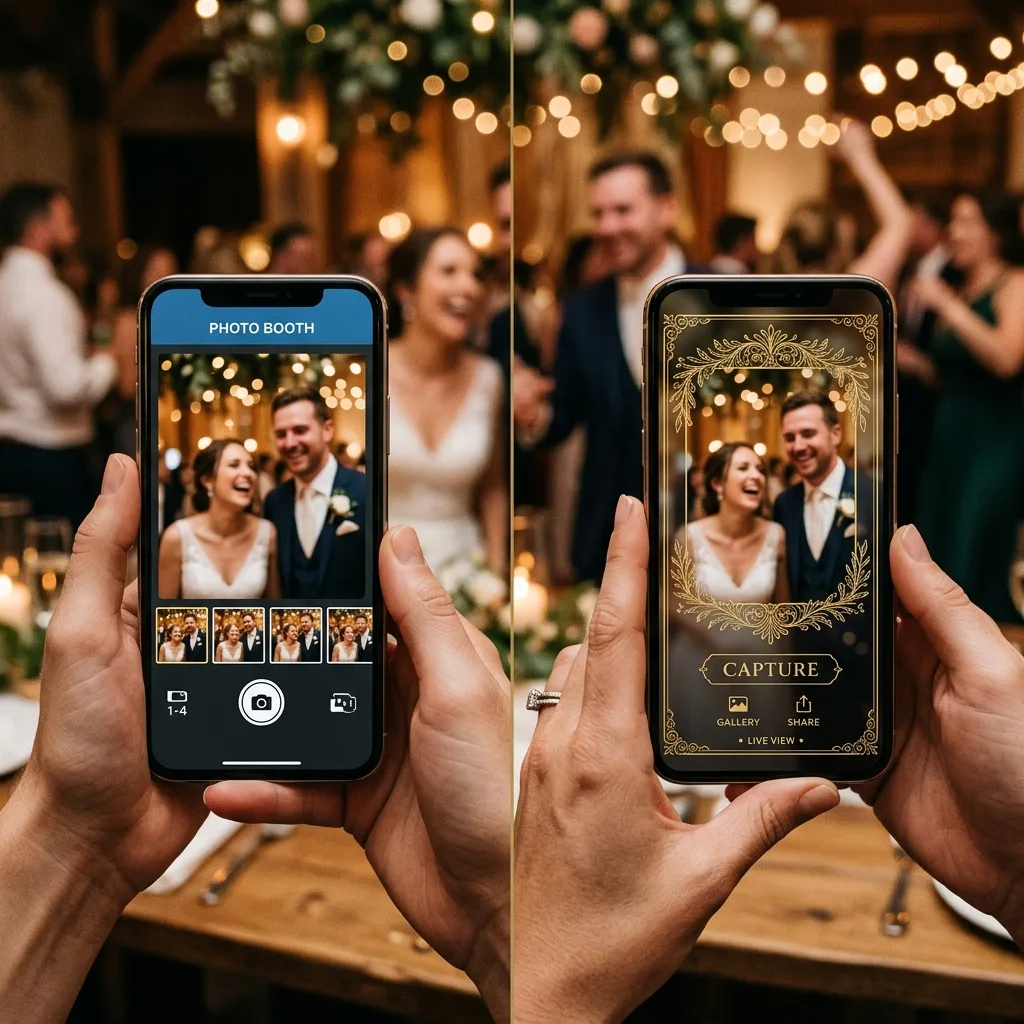
EventSnap takes a fundamentally different approach: instead of a dedicated device, every guest's smartphone becomes the photo booth. Guests scan a QR code, open the browser-based booth tab, select from six frame styles (Classic White, Gold Ornate, Hearts, Confetti, Floral, or No Frame), and snap a photo. No app download, no account creation, no hardware required.
Photos upload directly to the couple's personal Google Drive, giving them permanent ownership. The Event Plus plan costs $16.99 one-time and includes both the photo booth and an Audio Guestbook feature. EventSnap does not offer GIF creation, green screen, or physical prints, which are trade-offs worth considering depending on your priorities.
Full Feature Comparison Table
The following table compares all seven platforms across the criteria that matter most to couples planning a wedding.
| Feature | Simple Booth | LumaBooth | BoothUp | Snapbar | DSLR Booth | GIF Booth | EventSnap |
|---|---|---|---|---|---|---|---|
| Price | $109/mo | $99.99 once | $29-79/mo | $500+/event | $149-349 once | $49/mo | $16.99 once |
| App download | No (browser) | Yes (iPad) | Yes (tablet) | No (browser) | Yes (PC/Mac) | Yes (iPad) | No (browser) |
| Hardware needed | iPad + HALO ring | iPad + tripod | Tablet + stand | None | PC + DSLR | iPad + tripod | None |
| Simultaneous users | 1 device | 1 device | 1 device | Unlimited | 1 device | 1 device | Unlimited |
| Frame overlays | Custom templates | Extensive library | Templates | Custom branded | Custom templates | GIF-only | 6 preset styles |
| GIF / Boomerang | ✅ | ✅ | ✅ | ✅ | ✅ | ✅ | ❌ |
| Green screen | ✅ | ✅ | ✅ | ❌ | ✅ | ❌ | ❌ |
| Print support | ✅ | ✅ | ✅ | ❌ | ✅ | ❌ | ❌ |
| Photo storage | Vendor cloud | iPad local | Vendor cloud | Vendor cloud | Local PC | Vendor cloud | Google Drive |
| Best for | Pro operators | DIY with iPad | Casual events | Corporate/brand | Photographers | Social media | Budget couples |
Choosing the Right Booth for Your Wedding
The "best" virtual photo booth depends entirely on your specific situation. Here is a framework for making the decision based on three common wedding scenarios.
Scenario 1: You Are Hiring a Professional Photo Booth Operator
If your budget includes a professional booth operator who sets up, runs, and breaks down the equipment, Simple Booth HALO or DSLR Booth are the top choices. The operator handles all the technical complexity, and your guests get a premium, hands-off experience with professional lighting and high-quality prints. Budget $400 to $1,200+ for the rental.
Scenario 2: You Want a DIY Setup with an iPad
LumaBooth offers the most customization for couples who own an iPad and want to set up a photo booth station themselves. Pair it with a $30 tripod and a $40 ring light from Amazon, and you have a polished booth for under $170 total. The limitation is that only one group can use it at a time, so expect queues at larger weddings.
Scenario 3: You Want Every Guest's Phone to Be the Booth
If you want to eliminate queues entirely and let all 150 guests take framed photos simultaneously from their own phones, EventSnap and Snapbar are the only options that support unlimited concurrent users with no app download. EventSnap is dramatically more affordable at $16.99 one-time versus Snapbar's $500+ per event, but Snapbar offers more advanced customization and a white-glove managed service. Read our full guide on how digital photo booths work without hardware.
Key Trade-Offs to Consider
Every solution involves trade-offs. Here are the most important ones to weigh when making your decision.
Physical Prints vs Digital Only
If physical photo strips are important to you, you need Simple Booth, LumaBooth, BoothUp, or DSLR Booth. EventSnap, Snapbar, and GIF Booth are digital-only. Some couples solve this by ordering prints from Google Photos after the wedding using EventSnap's Drive gallery, but it is not the same as an instant print at the venue.
Custom Templates vs Preset Frames
LumaBooth, Simple Booth, and DSLR Booth allow you to design completely custom templates with your wedding monogram, colors, and layout. EventSnap offers six preset frame styles that are elegant but not customizable. If brand-specific customization is a priority, a custom template tool is the better fit.
Data Ownership
Most virtual photo booth apps store your photos on their servers. This means your photos are dependent on that company's continued existence and storage policies. EventSnap is the only platform in this comparison that stores photos directly in the couple's own Google Drive, giving them permanent, vendor-independent ownership. This is a significant advantage for couples who care about privacy and long-term data security.
Scalability
Device-based solutions (LumaBooth, BoothUp, DSLR Booth, GIF Booth) are inherently limited to one group at a time. At a 200-guest wedding, this means most guests will never use the booth. Browser-based solutions (EventSnap, Snapbar, Simple Booth Events) scale to unlimited users because every phone is its own booth. Data from EventSnap galleries shows that browser-based booths generate 3-5× more photos per event compared to single-device setups.
Pricing Summary
Cost is often the deciding factor for couples. Here is a simple breakdown of the total cost for a single wedding event.
| App | One Event Cost | Notes |
|---|---|---|
| EventSnap Event Plus | $16.99 | One-time, includes audio guestbook |
| LumaBooth | $99.99 | One-time + hardware (~$70 for tripod/light) |
| DSLR Booth | $149-349 | One-time + DSLR camera required |
| BoothUp | $29-79 | Monthly subscription |
| GIF Booth | $49 | Monthly subscription |
| Simple Booth HALO | $109+ | Monthly + $3,000 hardware |
| Snapbar | $500+ | Per-event managed service |
The Bottom Line
There is no single "best" virtual photo booth app. The right choice depends on your budget, technical comfort level, and what you value most in the experience.
- For professional operators running booths at multiple weddings per month, Simple Booth HALO remains the industry standard with the most polished guest experience.
- For DIY couples with an iPad, LumaBooth offers the best balance of customization and affordability at $99.99 one-time.
- For couples who want every guest using their own phone without app downloads or hardware, EventSnap's Event Plus at $16.99 delivers the lowest-cost, highest-participation solution with permanent Google Drive storage.
- For corporate events with budget, Snapbar provides a premium, fully managed experience that requires zero effort from the host.
- For photographers adding a service, DSLR Booth produces unmatched image quality using professional camera equipment.
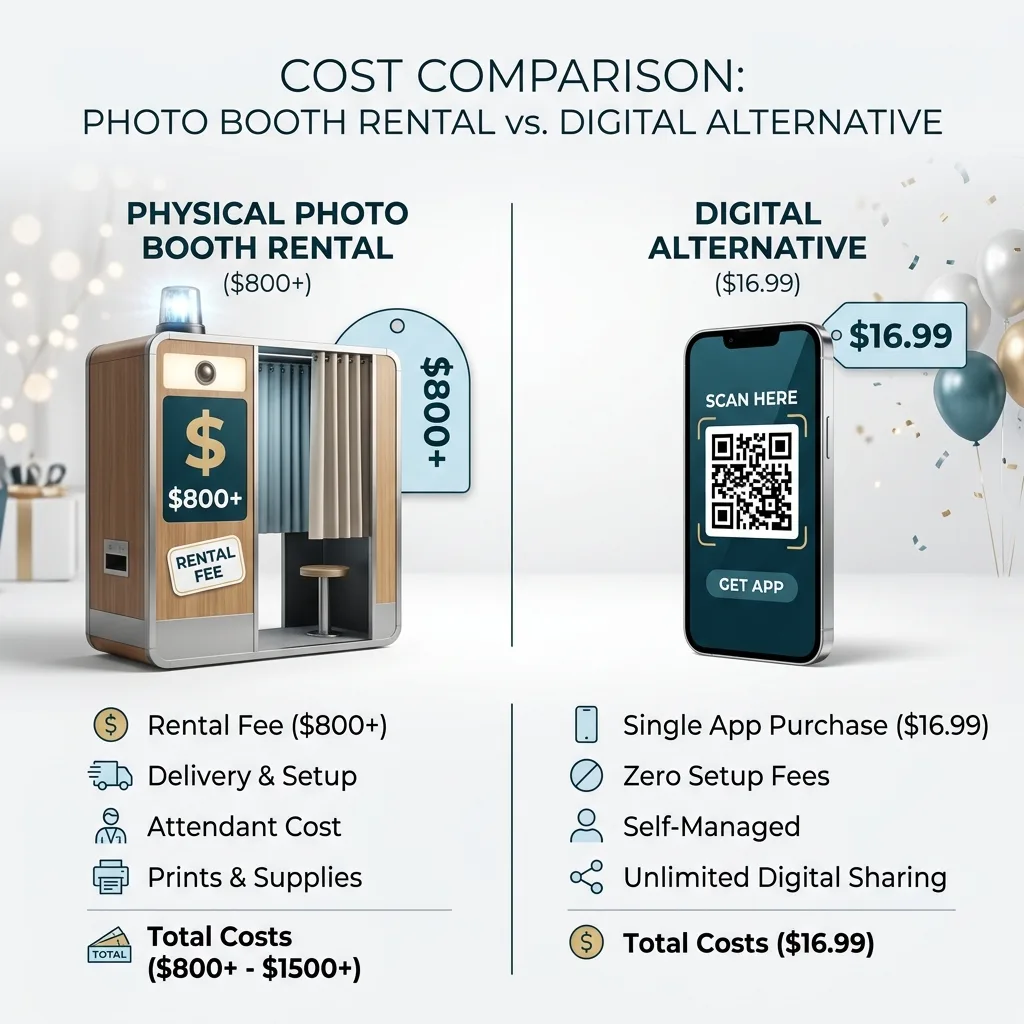
Whichever solution you choose, the key takeaway is that virtual photo booths have reached a level of maturity where every couple can find an option that fits their budget. The days of spending $800+ as the only option are over. For a deeper look at how browser-based booths compare to physical rentals, check our detailed guide on digital photo booths for events.
Try EventSnap's Photo Booth Free
Create a free account, test the photo booth, and upgrade to Event Plus for $16.99 when you are ready.
📸 Get Started Free