 📸 Step-by-Step Guide
How to Collect Wedding Guest Photos with QR Code Straight to Your Google Drive
You spent months planning the perfect wedding. Your photographer captured the ceremony and the posed shots. But what about the 500+ candid moments your guests saw? The surprise tears during the first dance. The kids stealing cake. Grandpa on the dance floor at midnight.
Those photos are sitting on 50+ phones right now. And unless you do something about it, most of them will be deleted during the next "storage full" cleanup.
This guide shows you exactly how to collect every guest photo and video using a simple QR code — with everything going directly to your personal Google Drive. No apps, no storage fees, no middleman servers.
Why Google Drive (and Not a Photo Sharing App)?
Most wedding photo sharing apps (GuestPix, Kululu, WedUploader) store your photos on their servers. This means:
- ❌ Galleries expire after 30–90 days unless you pay
- ❌ Download limits — some charge per download or per guest
- ❌ You don't own the files — they sit on someone else's infrastructure
- ❌ Privacy concerns — a third party has access to your wedding memories
With the Google Drive approach:
- ✅ You own everything — files are in YOUR personal Google Drive
- ✅ No expiration — your photos stay forever
- ✅ 15 GB free storage included with every Google account
- ✅ Easy sharing — send the Drive link to family instantly
- ✅ Full resolution — no compression, no quality loss
Step 1: Create Your Free EventSnap Account (30 seconds)
Go to eventsnap.co and click "Get Started Free." You'll sign in with the Google account where you want to receive the photos.
Why this Google account matters: EventSnap creates a folder in YOUR Google Drive. Choose the account you want to keep your wedding memories in long-term. If you have a shared "couple's" Google account, that's perfect.
💡 Tip: EventSnap only accesses folders it creates. Your existing Drive files are never touched.
Step 2: Create Your Wedding Event (15 seconds)
Once you're on the dashboard, tap "Create Event" and give it a name:
- "Sarah & Tom's Wedding"
- "The Johnson Wedding — June 14, 2026"
- "Our Big Day 💍"
EventSnap instantly:
- Creates a Google Drive folder named after your event
- Generates a unique QR code
- Creates a shareable upload link
Step 3: Download & Print Your QR Code
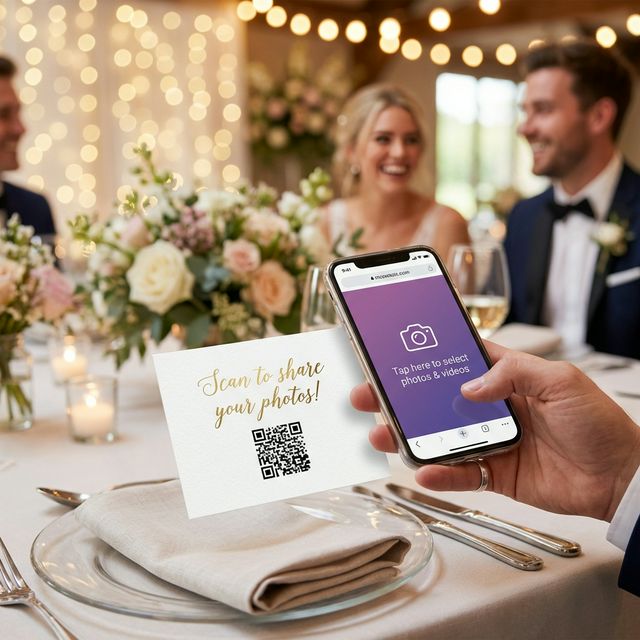
Click "Details & QR" on your event card. You'll see a large QR code with a "Download QR Code" button. Save it as an image file.
Printing tips:
- Print the QR code at at least 3×3 cm for easy scanning
- Use a white background with high contrast
- Add a short message like: "Share your photos! Scan me →"
- Laminate outdoor cards to prevent weather damage
Step 4: Strategic Placement at the Venue
This is where most people mess up. One sign at the entrance isn't enough. Place QR codes where people are idle and already holding their phones:
| 📍 Location | Why It Works |
|---|---|
| Every table setting | Guests sit, look at their phone, see the card. Maximum visibility. |
| The bar / drinks station | People wait for drinks and scroll. Give them a task! |
| Photo booth area | Guests already have their cameras out. Natural moment to upload. |
| Bathrooms | Yes, really. Mirror selfies are guaranteed 😄 |
| The entrance / welcome sign | Sets the tone from the start: "We want YOUR photos too!" |
| DJ booth / screen | Display the QR code during dinner or between songs. |
Step 5: Announce It (The MC Moment)
Have your DJ or MC make a quick announcement during dinner:
"Hey everyone! Sarah and Tom want YOUR photos from tonight. See that QR code on your table? Just scan it with your phone, pick your best shots, and upload them. It takes 15 seconds — no app needed. Everything goes straight to their Google Drive so they can enjoy YOUR perspective of tonight!"
This single announcement can 3× your upload count.
Step 6: The Morning-After Text
The morning after is when everyone is scrolling through their camera roll, reliving the night. Send a quick text to the guest group chat:
"We're heading to our honeymoon! 🏝️ If you took any photos or videos last night, we'd LOVE to see them. Just click this link and upload — takes 15 seconds: [your upload link]"
This single text can double your photo count. People have time, they're nostalgic, and the friction is zero.
Step 7: Enjoy Your Photos in Google Drive
Open your Google Drive and navigate to the EventSnap folder. You'll find:
- 📸 All uploaded photos in full original resolution
- 🎥 Videos up to 1GB per file
- 📁 Everything neatly organized in one folder
From here you can:
- Share the folder link with family and the bridal party
- Create a Google Photos album from the uploads
- Download everything as a ZIP for backup
- Order prints from your favorite photo printing service
Pro Tips to Maximize Photos
- 🎯 Photo Scavenger Hunt: Leave a card with fun challenges: "Capture grandma dancing," "Find someone crying happy tears," "Best selfie with the couple"
- 📺 Live Slideshow: Use EventSnap's slideshow feature to project uploaded photos on a screen during the reception. Guests go wild when they see their photo appear!
- 📝 Digital Guestbook: Enable the guestbook feature so guests can leave messages alongside their photos
- 🔒 Password Protection: Add a password to your event so only invited guests can upload
What Does It Cost?
| Plan | Price | What You Get |
|---|---|---|
| 🌱 Starter | Free forever | 1 event, up to 50 uploads, QR code, basic gallery |
| 🎉 Single Event | $9.99 one-time | Unlimited uploads, password protection, guestbook, slideshow |
| 🚀 Unlimited | $19.99/month | Unlimited events, all features, 1GB file size |
For most weddings, the $9.99 Single Event plan is perfect. You get unlimited uploads, and your memories live in your Google Drive forever — no recurring fees.
Ready to collect every moment?
Your wedding guests will take hundreds of incredible photos. The question is: will those photos end up in your Google Drive, or lost on their phones? Set up EventSnap in 30 seconds and make sure you get every single one.
Create your wedding event now
Free Starter plan — no credit card needed. Upgrade anytime.
💍 Create Wedding Event — Free